Android 15 is the release where edge-to-edge stopped being optional. Apps
targeting API 35 draw behind the status and navigation bars by default, and
long-running dataSync foreground services get a daily time limit. For users
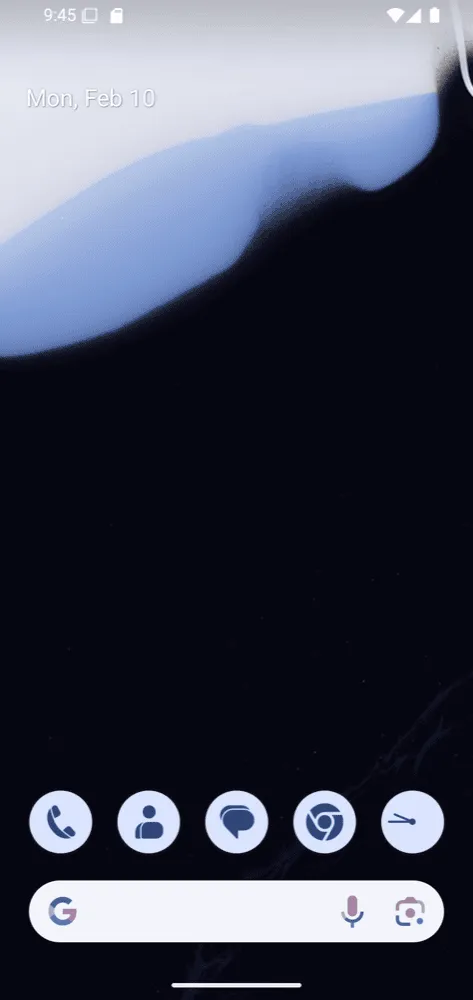
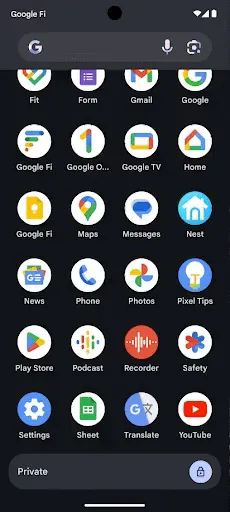
it brought the private space, a locked area that hides apps from the rest of
the phone.
At a glance
| Version | Android 15 |
| API level | 35 |
| Name | Vanilla Ice Cream, internal; visible in the SDK constant. Public name: Android 15 |
Build.VERSION_CODES | VANILLA_ICE_CREAM |
| Release | Source in AOSP on 3 September 2024; Pixel rollout began 15 October 2024 |
| Launch devices | None at release: the Pixel 9 series shipped with Android 14 |
| Google Play target-API deadline | New apps and updates from 31 August 2025, with an extension to 1 November 2025 |
The first developer preview came out on 16 February 2024. A second preview
and four betas followed, and Beta 3 reached platform stability on 18 June 2024. Each milestone is a part below this overview. On 3 September 2024
Google published the Android 15 source to AOSP before any Pixel got the update,
which broke the usual pattern of releasing both on the same day. Android 12
was the last release to split them. The tag
android-15.0.0_r1 is dated 5 September. The Pixel rollout started on 15
October 2024 for the Pixel 6 and later, the Pixel Fold and the Pixel Tablet.
The Pixel 9 phones, launched in August 2024, ran Android 14 out of the box. The first Pixel sold with Android 15 was the Pixel 9a. Google’s announcement also named Samsung, Honor, Lenovo, Motorola, Nothing, OnePlus, Oppo, Sony, vivo and Xiaomi among the makers that would ship the update in the following months.
The codename Vanilla Ice Cream was never used in marketing, but it is the SDK
constant, and AOSP documents it in one line: Vanilla Ice Cream. It surfaced
in AOSP code changes long before release, as Android Authority reported.
What it brought
- Private space. A separate, locked area for sensitive apps. Its apps sit in their own launcher container, and while it is locked they disappear from recents, notifications, settings and other apps. It can use the device lock or its own, and can hold a separate Google account.
- App archiving.
PackageInstaller.requestArchive()removes an app’s APK and cache but keeps its data;requestUnarchive()restores it. On Pixel, users can also archive an app from App info. - App screen sharing. A user can share or record a single app window
instead of the whole screen. It first appeared in Android 14 QPR2; Android 15
adds
MediaProjectioncallbacks to adapt the experience. - PDF.
PdfRendereropens password-protected files and supports annotations, form editing (FormEditRecord), text search (Page.searchText()) and selection with copy.PdfRendererPreVbrings the same API to Android 11 and later. - Satellite.
ServiceState.isUsingNonTerrestrialNetwork()tells an app the device is on a satellite network. SMS, MMS and preloaded RCS apps can send and receive messages over it. - Camera. Low Light Boost brightens the preview in the dark, and
FLASH_SINGLE_STRENGTH_DEFAULT_LEVELandFLASH_TORCH_STRENGTH_DEFAULT_LEVELgive apps control over flash strength. - Audio and video.
LoudnessCodecControllerapplies the CTA-2075 loudness standard to AAC content that carries loudness metadata. The dav1d AV1 software decoder is available asc2.android.av1-dav1d.decoderon devices without hardware AV1 decoding; apps opt in by name, and Google Play system updates bring it back to Android 11. - Tap to pay. On supported devices,
NfcAdapterobserve mode lets the device listen to a reader without answering, so a payment app can prepare before the first exchange. A new Wallet role replaces the default contactless payment setting. - Performance tools.
ApplicationStartInforeports cold, warm or hot starts and why the app started.ProfilingManagertakes heap dumps and stack samples from inside the app.StorageStats.getAppBytesByDataType()breaks app size down by APK, AOT code and libraries. - Platform libraries. OpenJDK 17 APIs such as
SequencedCollection, which Google Play system updates also deliver to Android 12 and later. SQLite 3.44.3 with read-only deferred transactions.Canvas.clipShader()andMatrix44. - Large screens. Saved split-screen app pairs and a taskbar the user can pin.
- Widget previews.
AppWidgetManager.setWidgetPreview()lets an app send generatedRemoteViewsas its picker preview, instead of a static image that rarely matched the real widget.
Security and privacy
- Theft protection, in two parts. Android 15 itself requires the PIN, password or biometric to change sensitive settings such as Find My Device, locks the device after repeated failed unlock attempts, and strengthens factory reset protection. Theft Detection Lock, Offline Device Lock and Remote Lock are different: they arrived through a Google Play services update on most Android 10+ devices, not through Android 15.
- Hidden OTPs. Untrusted notification listeners can no longer read notifications in which the system detected a one-time password. Trusted ones, such as companion device apps, are exempt.
- Screen sharing protection. During screen sharing, notification content
and password fields are hidden from the remote viewer. Apps can mark a view
sensitive with
setContentSensitivity. - Screen recording detection.
WindowManager.addScreenRecordingCallback()tells an app when it is being recorded. - Insecure mobile networks. New settings warn users when the connection is not encrypted or when the network asks for identifiers like the IMSI in a way that could track them. Carriers can no longer hide the 2G toggle.
- Credential Manager. Apps can link username and password fields to a Credential Manager request, so its suggestions appear in autofill. Credential Manager also runs the biometric prompt itself during sign-up and sign-in, so providers no longer build their own.
- Contact keys.
E2eeContactKeysManagerstores contacts’ public keys at the OS level for end-to-end encrypted apps, and lets users verify them from the contacts app. - Platform. Signature permissions requested by non-system apps go through an explicit allowlist. Virtual A/B version 3 makes updates smaller and faster.
Permissions
No runtime permission was added or changed. The new permissions are all normal ones, granted at install:
FOREGROUND_SERVICE_MEDIA_PROCESSING, needed to run a foreground service of the newmediaProcessingtype.ACCESS_HIDDEN_PROFILES, which a launcher declares to show the private space. It also has to hold the home role.DETECT_SCREEN_RECORDING, needed for the screen recording callback.
Photo access, which Android 14 made partial with
READ_MEDIA_VISUAL_USER_SELECTED, gains MediaStore.QUERY_ARG_LATEST_SELECTION_ONLY
so an app can query only the photos the user picked last. See
Android 14 for how partial access works.
What changed for your app
All apps on Android 15
| Change | What to do |
|---|---|
Apps with targetSdkVersion below 24 cannot be installed | Raise the target; already installed apps stay |
| A force-stopped app loses its pending intents and its widgets turn grey | Re-register alarms and pending intents on the ACTION_BOOT_COMPLETED sent on next launch |
| Devices may use 16 KB memory pages | Rebuild native libraries with 16 KB ELF alignment; pure Kotlin or Java apps work as is |
| Your app may be installed a second time in the private space | Do not assume a second profile is a work profile |
The PNG emoji font NotoColorEmojiLegacy.ttf is gone | Render emoji with the platform text APIs or COLRv1 |
| Predictive back animations show for apps that opted in | If you opted in, check back animations and fragment transitions |
| Network requests outside a valid process lifecycle fail | Tie requests to a lifecycle; use WorkManager or a foreground service for longer work |
Apps targeting API 35
| Change | What to do |
|---|---|
Edge-to-edge is the default; setStatusBarColor and setNavigationBarColor do nothing | Handle window insets; Material 3 components do it for you |
dataSync foreground services get 6 hours in every 24 | Stop in Service.onTimeout(int, int), or move the work to WorkManager |
BOOT_COMPLETED receivers cannot start dataSync, camera, mediaPlayback, phoneCall or mediaProjection services | Start them later, from user action |
Holding SYSTEM_ALERT_WINDOW no longer lets you start a foreground service from the background on its own | Show a visible overlay window first |
PendingIntent creators block background activity launches by default | Opt in explicitly if a sender must open your activity |
| TLS 1.0 and 1.1 are disallowed | Use TLS 1.2 or later on every server |
| Audio focus requests from the background fail | Request focus while visible or from a foreground service |
| Apps cannot turn global Do Not Disturb on or off | Contribute an AutomaticZenRule |
elegantTextHeight is true by default | Check layouts in Arabic, Thai, Tamil and other affected scripts |
Arrays.asList(...).toArray() returns Object[], and String.format() is stricter | Use toArray(new String[0]); fix %0 style format strings |
The edge-to-edge change is the one most apps noticed. Bars become transparent
(three-button navigation keeps an 80% scrim), and anything not padded by insets
slides under them: top app bars, floating action buttons, the last list item.
Apps could still opt out for API 35 with windowOptOutEdgeToEdgeEnforcement
while they fixed their screens.
The new mediaProcessing type, meant for jobs like transcoding, has the same
six-hour budget as dataSync:
Since List.removeFirst() and removeLast() now resolve to the new
SequencedCollection methods when compiling against API 35, code with a lower
minSdk crashes with NoSuchMethodError on Android 14 and older. Lint’s
NewApi check flags it; removeAt(0) avoids it.
What lasted
- Edge-to-edge became mandatory. For apps targeting Android 16,
windowOptOutEdgeToEdgeEnforcementis deprecated and ignored. - Predictive back went further. Apps targeting Android 16 get the system
animations by default, and
onBackPressedis no longer called. elegantTextHeight, defaulted here, is deprecated in Android 16 and ignored for apps targeting it.- 16 KB pages became a Play rule. From 1 November 2025, new apps and updates targeting Android 15 or higher had to support 16 KB pages on 64-bit devices. The current page sets 1 February 2027 as the date from which non-compliant updates are refused. Android 16 added a compatibility mode for some 4 KB apps.
- Private space, app archiving and the foreground service time limits are unchanged.
Worth knowing
- The Easter egg is Landroid, the space game from Android 14. Holding the Android 15 logo charges a starfield warp for five seconds, with the phone rumbling, before the game opens.
- New in Android 15, the game also runs as a screen saver once unlocked. Its
description in AOSP is
---- AUTOPILOT ENGAGED ----, and the ship flies between planets on its own. - Google measured 16 KB pages on its own devices: about 3% faster app launch under memory pressure and about 8% (roughly 950 ms) faster boot on average.
- Android 15 introduced the
android15-6.6kernel, on Linux 6.6. It also supports older GKI kernels back toandroid12-5.10, so an updated phone can keep the kernel it launched with. From this release on, there is only one new GKI kernel per kernel version: there is noandroid15-6.1.
Android 15 Developer Preview 1: fs-verity, MIDI
16 February 2024. The first preview, for developers only, brought FileIntegrityManager, partial screen sharing, flash and low-light camera controls, virtual MIDI 2.0 and ADPF.
Read on its own: Android 15 Developer Preview 1: fs-verity, MIDIDeveloper Preview 1 came out on 16 February 2024. It was for developers only, installed by flashing a system image, and Google said it expected platform stability in June 2024.
| Release date | 16 February 2024 |
| Build | AP31.240119.016 |
| Security patch | February 2024 |
| Devices | Pixel 6, 6 Pro, 6a, 7, 7 Pro, 7a, 8 and 8 Pro, Pixel Fold, Pixel Tablet; Emulator |
| How to get it | Flash a system image; no Android Beta enrolment yet |
| Platform stability | No |
- File integrity.
FileIntegrityManagergains APIs built on the kernel’s fs-verity, so an app can protect files with its own cryptographic signatures and detect tampering. - Partial screen sharing. Sharing or recording a single app window, first
enabled in Android 14 QPR2, gets
MediaProjectioncallbacks. Each capture session now needs the user’s consent. - Camera. Extensions for low-light preview brightening and for flash
strength in
SINGLEandTORCHmodes, on supported devices. - Virtual MIDI 2.0. Universal MIDI Packets, supported over USB since Android 13, extend to virtual MIDI apps, so a composition app can drive a synthesizer app.
- ADPF. Hint sessions get a power-efficiency mode and can report GPU work duration next to CPU work; thermal headroom thresholds help predict throttling.
- Updatable modules. Ad Services moves to extension level 10 with the latest Privacy Sandbox, Health Connect adds fitness and nutrition data types, and new OpenJDK APIs reach Android 12 and later through Google Play system updates.
Google advised testers on the Android 14 QPR beta to move to Preview 1 right away, because a later QPR build date would otherwise force a data wipe.
Android 15 Developer Preview 2: satellite, PDF
21 March 2024. The second preview added satellite and NFC observe-mode APIs, an updatable PdfRenderer, ApplicationStartInfo, the mediaProcessing service type and loudness control.
Read on its own: Android 15 Developer Preview 2: satellite, PDFDeveloper Preview 2 came out on 21 March 2024, five weeks after the first. It was still for developers only: Google offered no sideload images this time, so it came by flashing or over the air from Preview 1.
| Release date | 21 March 2024 |
| Build | AP31.240223.016.A3 |
| Security patch | March 2024 |
| Devices | Pixel 6, 6 Pro, 6a, 7, 7 Pro, 7a, 8 and 8 Pro, Pixel Fold, Pixel Tablet; Emulator |
| How to get it | Flash, or over the air from Preview 1 |
| Platform stability | No |
- Connectivity.
ServiceState.isUsingNonTerrestrialNetwork()reports a satellite connection, and SMS, MMS and preloaded RCS apps can message over it. On supported devices,NfcAdapterobserve mode hands the appPollingFrameobjects without answering the reader. - PDF.
PdfRenderermoves to a module updated through Google Play system updates, with password-protected files, annotations, forms, search and selection.PdfRendererPreVbrings it to Android 11. - Text and intents.
<nobreak>and<nohyphen>keep words on one line or unhyphenated.<uri-relative-filter-group>matches deep links on query parameters and fragments. - App insight.
ApplicationStartInfoexplains why and how the app started.StorageStats.getAppBytesByDataType()splits app size by type. Force-stopped apps lose their pending intents and getBOOT_COMPLETEDwhen the user launches them again. - Background work. The new
mediaProcessingforeground service type covers jobs such as transcoding; Google said a later beta would cap it at six hours. - Media.
setDesiredHdrHeadroom()balances HDR and SDR content, andLoudnessCodecControllerapplies CTA-2075 loudness to AAC.Virtualizeris deprecated in favour ofSpatializer. - More. Opt-in support for the cover screens of flippable phones, screen
recording detection, new SQLite APIs (read-only deferred transactions,
changed-row counts),
AutomaticZenRuletypes, icons and device effects, and, for apps targeting Android 15,elegantTextHeighttrue by default.
Android 15 Beta 1: edge-to-edge by default
11 April 2024. The first beta opened Android Beta enrolment and made apps targeting Android 15 edge-to-edge by default, with app archiving, ProfilingManager and contact keys.
Read on its own: Android 15 Beta 1: edge-to-edge by defaultBeta 1 came out on 11 April 2024 and opened the Android Beta program, so any supported Pixel could enrol and get it over the air. Two point releases followed within two weeks.
| Release date | 11 April 2024; 1.1 on 22 April; 1.2 on 25 April 2024 |
| Build | AP31.240322.018; 1.1 AP31.240322.023; 1.2 AP31.240322.027 |
| Security patch | April 2024 |
| Devices | Pixel 6, 6 Pro, 6a, 7, 7 Pro, 7a, 8 and 8 Pro, Pixel Fold, Pixel Tablet |
| How to get it | Over the air through Android Beta, or by flashing; Emulator images |
| Platform stability | No |
- Edge-to-edge. Apps targeting Android 15 draw behind the system bars
without calling
enableEdgeToEdge(). Material 3 composables handle the insets for you. - App archiving. Apps holding
REQUEST_DELETE_PACKAGEScan callPackageInstaller.requestArchive(), which removes the APK and caches but keeps user data. Any app store can now implement it. - Profiling.
ProfilingManagercollects heap dumps, heap profiles and stack samples from inside the app. - Security.
E2eeContactKeysManagerstores contacts’ public keys for end-to-end encryption, and new rules limit background apps that bring other apps to the front. - NFC and text. Apps can be notified of NFC polling loop activity on
supported devices.
JUSTIFICATION_MODE_INTER_CHARACTERjustifies Chinese and Japanese text by letter spacing. - Accessibility. TalkBack supports Braille displays that use HID over USB and Bluetooth.
Beta 1.1 fixed NFC problems that broke wallet apps. Beta 1.2 fixed app freezes, battery drain and a Settings crash when adding a fingerprint.
Android 15 Beta 2: private space, partner phones
15 May 2024. The second beta reached partner phones and added private space, six-hour timeouts for dataSync and mediaProcessing, 16 KB page support and a minimum target SDK of 24.
Read on its own: Android 15 Beta 2: private space, partner phonesBeta 2 came out on 15 May 2024, during Google I/O. It was the first Android 15 build on phones from other makers, and it added most of the features users would see in the release.
| Release date | 15 May 2024; 2.1 on 20 May; 2.2 on 3 June 2024 |
| Build | AP31.240426.022; 2.1 AP31.240426.023; 2.2 AP31.240426.023.B4 |
| Security patch | May 2024 |
| Devices | Pixel 6 to Pixel 8a, Pixel Fold, Pixel Tablet; partner devices from Honor, iQOO, Lenovo, Nothing, OnePlus, OPPO, Realme, Sharp, Tecno, vivo and Xiaomi |
| How to get it | Over the air through Android Beta, or by flashing; partner programs |
| Platform stability | No |
- Private space. A separate user profile behind its own authentication. When the user locks it, the profile is paused and its apps stop running.
- Foreground services.
dataSyncandmediaProcessingservices time out after about six hours, and the system callsService.onTimeout(int, int). An app targeting Android 15 that relies onSYSTEM_ALERT_WINDOWto start one from the background must show a visible overlay first. - 16 KB pages. Android 15 supports devices with 16 KB memory pages, and apps with native code need a rebuild. Google’s first tests showed 3.16% faster launches under memory pressure and a 1.5% (about 0.8 s) faster boot; later figures in its 16 KB guide are higher.
- Install floor. Apps targeting below API 24 can no longer be installed;
the install fails with
INSTALL_FAILED_DEPRECATED_SDK_VERSION. - App security.
Context.checkContentUriPermissionFull()and therequireContentUriPermissionFromCallerattribute check access to content URIs. An opt-in flag blocks task hijacking from apps lower in the same task. Stricter intent matching can be tried underStrictMode. - Photos.
QUERY_ARG_LATEST_SELECTION_ONLYreturns only the photos the user picked most recently under partial access. - Graphics. ANGLE is an optional layer that runs OpenGL ES on Vulkan.
Matrix44andCanvas.clipShader()join the Canvas API, and the dav1d AV1 software decoder is available by name. - Screens and UI. Pinned taskbar and saved app pairs on large screens.
Configuration.screenWidthDpincludes the system bars for apps targeting Android 15. Generated widget previews, smoother picture-in-picture entry, predictive back animations outside developer options, and per-channel vibration withNotificationChannel.setVibrationEffect(). - Language. A grammatical gender setting, in French first, ICU 74 with Unicode 15.1, a variable NotoSansCJK font and a Hentaigana font.
Beta 2.1 only partly fixed home screen icons vanishing when a private space was first created. Beta 2.2 finished that fix and repaired NFC payments with the Wallet role and observe mode.
Android 15 Beta 3: platform stability
18 June 2024. The third beta reached platform stability, so apps targeting Android 15 could ship on Google Play. It added one-step passkey sign-in and deprecated WebSQL in WebView.
Read on its own: Android 15 Beta 3: platform stabilityBeta 3 came out on 18 June 2024 and reached platform stability: the developer APIs and all app-facing behaviours were final, and apps targeting Android 15 could be published on Google Play. Google said there were only a few new things in it.
| Release date | 18 June 2024; 3.1 on 1 July 2024 |
| Build | AP31.240517.022; 3.1 AP31.240517.031 |
| Security patch | June 2024 |
| Devices | Pixel 6 to Pixel 8a, Pixel Fold, Pixel Tablet |
| How to get it | Over the air through Android Beta, or by flashing; Emulator images |
| Platform stability | Yes: final APIs and behaviours |
- Passkeys in one step. In apps targeting Android 15, users sign in with a
passkey through a single face, fingerprint or screen lock prompt.
Credential providers hand the authentication to the system UI through
androidx.credentials. - Autofill fallback. An app can tie a Credential Manager request to a username or password field. If the user dismisses the passkey prompt, the suggestions still appear in the keyboard or a dropdown.
- WebSQL deprecated.
WebSettings.setDatabaseEnabled()andgetDatabaseEnabled()are deprecated in WebView, and Google said they would become no-ops on every Android version within 12 months. IndexedDB is the replacement.
Beta 3.1 fixed the lock screen asking to unlock when the user touched items that did not need it, and face unlock failures.
Android 15 Beta 4: last beta, PNG emoji gone
18 July 2024. The last scheduled beta was the second platform-stability build. It removed the legacy PNG emoji font; Beta 4.2 reached the Pixel 9 and 9 Pro XL in August.
Read on its own: Android 15 Beta 4: last beta, PNG emoji goneBeta 4 came out on 18 July 2024, the last scheduled beta and the second platform-stability release. It was mostly fixes, before the source reached AOSP on 3 September.
| Release date | 18 July 2024; 4.1 on 29 July; 4.2 on 13 August 2024 (22 August on Pixel 9, 9 Pro XL) |
| Build | AP31.240617.009; 4.1 AP31.240617.010; 4.2 AP31.240617.015 |
| Security patch | July 2024; 4.2 August 2024 |
| Devices | Pixel 6 to Pixel 8a, Pixel Fold, Pixel Tablet; Pixel 9 and 9 Pro XL from Beta 4.2 |
| How to get it | Over the air through Android Beta, or by flashing; Emulator images |
| Platform stability | Yes |
The one new change was the removal of NotoColorEmojiLegacy.ttf, the PNG
emoji font kept since Android 13 for apps with their own font renderers.
Google gave three ways out: render text with the platform, use a library
that supports COLRv1 such as FreeType 2.13.0 or later, or bundle the old
font, which weighs 10.1 MB.
Beta 4.1 fixed audio crashes during calls. Beta 4.2 fixed devices waking up late, camera crashes and low frame rates, UI flicker and YouTube crashes.

