Android 9 Pie is the release that cut idle apps off from the camera, the microphone and the sensors. Apps targeting API 28 lost cleartext HTTP by default, and calls into hidden platform APIs started to fail. Users got a pill-shaped home button with swipe navigation, Adaptive Battery, and the last dessert name Google used in public.
At a glance
| Version | Android 9 |
| API level | 28 |
| Name | Pie, public |
Build.VERSION_CODES | P |
| Release | Pixel rollout and AOSP source, 6 August 2018 |
| Launch devices | Pixel, Pixel XL, Pixel 2 and Pixel 2 XL by update; Pixel 3 and Pixel 3 XL came on it |
| Google Play target-API deadline | New apps from August 2019, app updates from November 2019 |
The first developer preview came out on 7 March 2018; the five preview milestones are the parts below this overview. The beta followed on 8 May, during Google I/O, and thanks to Project Treble it also ran on phones from Essential, Nokia, Oppo, Sony, Vivo and Xiaomi.
On 6 August 2018 Google pushed the source to AOSP and started the over-the-air
update to Pixel phones. 9to5Google reported the Pixel and Pixel 2 images live
that day, with the August security patch. Essential started pushing the final release to
the Essential Phone the same day. Google promised the update by the
end of fall to devices in the beta from Sony, Xiaomi, HMD Global, Oppo, Vivo,
OnePlus and Essential, and to qualifying Android One phones. AOSP lists the
first Pie builds for Pixel 3 and Pixel 3 XL (PD1A) at the September 2018
patch level. AOSP security bulletins listed Android 9 for the last time in
January 2022; from February 2022 they cover Android 10 and later.
What it brought
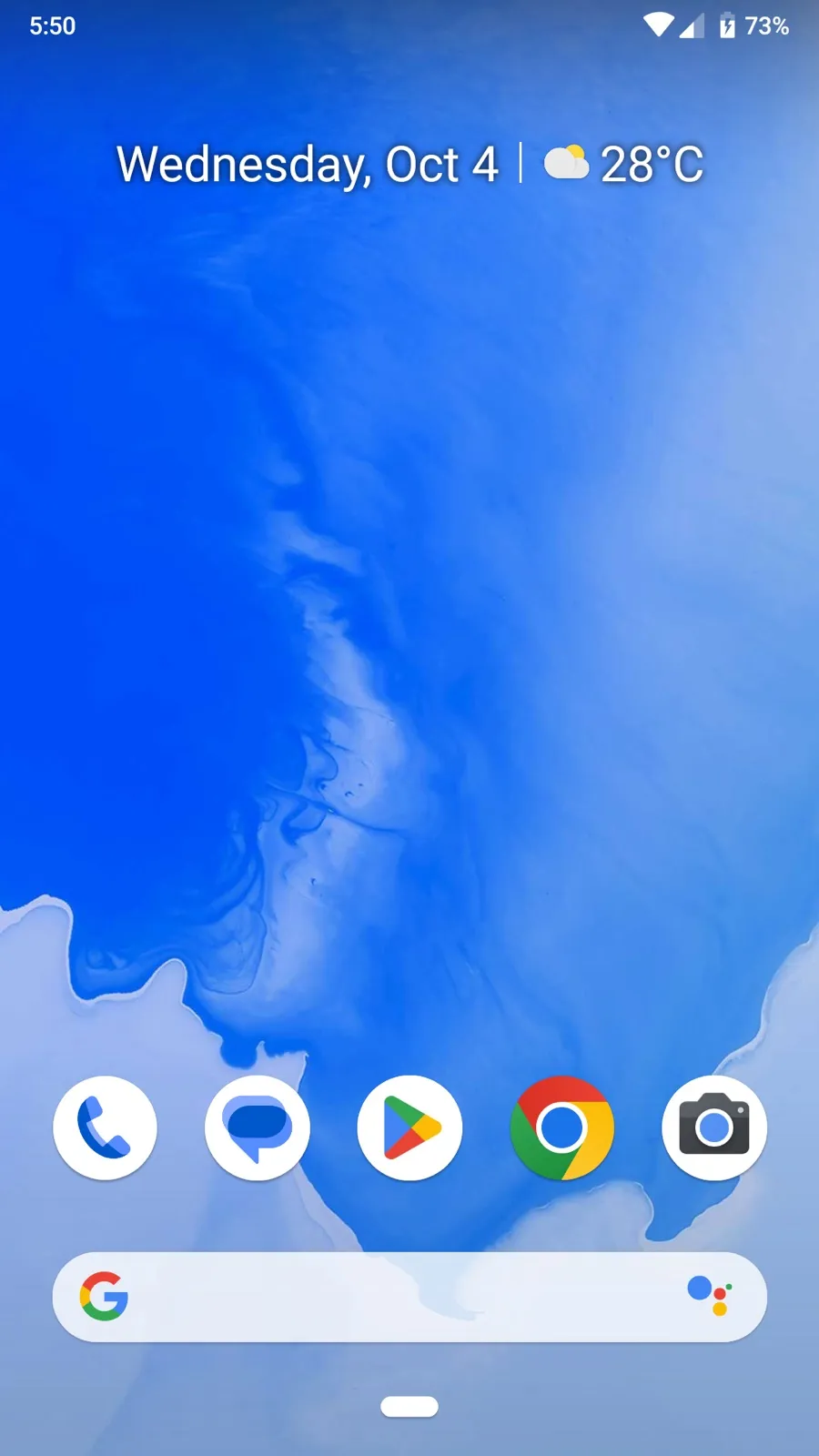
- New system navigation. A single pill-shaped home button: swipe up for a new Overview with full-screen app previews, tap to go home. It was off by default, under Settings > Gestures > “Swipe up on home button”. Back stayed a button, hidden on the home screen.
- Adaptive Battery. Built with DeepMind, it uses machine learning to give system resources to the apps the user cares about. Underneath are the App Standby Buckets, covered under What changed for your app.
- Display cutout support.
DisplayCutoutandgetDisplayCutout()report where the notch is. ThelayoutInDisplayCutoutModewindow attribute takesDEFAULT,SHORT_EDGESorNEVER. Developer options can simulate a cutout on any device. The 9 CDD allows cutouts only on the short edges, at most one per edge. - Smaller user changes. A rotation button in the navigation bar when auto-rotate is off, a screenshot editor, a text magnifier while selecting, simplified volume controls, and Adaptive Brightness. The clock moved to the left of the status bar to leave room for a notch, and quick settings tiles lost their drop-down panels: a long press opens the setting instead, as Ars Technica noted.
- Notifications.
MessagingStyletakes aPerson, shows images withsetData(), keeps reply drafts (EXTRA_REMOTE_INPUT_DRAFT) and offers smart replies throughRemoteInput.setChoices(). Users can block whole channel groups. - Multi-camera API. Apps can open streams from two or more physical cameras at once, or one logical camera that switches between them. External USB cameras work through Camera2 on supported devices.
- Media and images.
ImageDecoderreplacesBitmapFactory, andAnimatedImageDrawableplays GIF and WebP. HEIF encoding, HDR VP9 Profile 2 and a Dynamics Processing audio effect joined the platform. - Wi-Fi RTT. On supported hardware, apps with
ACCESS_FINE_LOCATIONmeasure distance to IEEE 802.11mc access points without connecting. Three or more give a position typically within 1 to 2 meters. - Machine learning and text. Neural Networks API 1.1 with nine new
operations, Smart Linkify on top of
TextClassifier,PrecomputedText, and Slices and App Actions to show app content in Google surfaces. - ART and tracing. ART’s ahead-of-time compiler converts an app’s DEX files into a more compact form, so apps start faster and use less disk and RAM; low-end devices gain the most. System traces can be recorded on the device itself and shared as a report, HTML included.
- Digital Wellbeing. The Dashboard, App Timer, the new Do Not Disturb and Wind Down. It shipped as a Google app from the Play Store, in beta on Pixel phones running Android 9.
Security and privacy
- Idle apps lose input. While an app’s UID is idle, the microphone reports
empty audio,
SensorManagersensors stop sending events, and its cameras disconnect with an error. Use a foreground service to keep receiving sensor events. - TLS by default. For apps targeting API 28,
isCleartextTrafficPermitted()returnsfalseunless the Network Security Configuration allows cleartext for a domain. The table for apps targeting API 28 says what to do. - Private DNS. Android 9 upgrades DNS to DNS over TLS when the network’s
server supports it. Users can turn it off or name a provider in “Private DNS”
under Network & internet. Apps that resolve names themselves can check
LinkProperties.isPrivateDnsActive(). - BiometricPrompt. The system draws one biometric dialog for fingerprint,
face or iris. Apps should move from
FingerprintManagertoBiometricPrompt. - StrongBox. A new Keystore backed by a separate secure chip with its own
CPU, storage and true random number generator. Request it with
setIsStrongBoxBacked(true); an unsupported key throwsStrongBoxUnavailableException. The 9 CDD only strongly recommends it. - Android Protected Confirmation. On supported devices that launch with
Android 9,
ConfirmationPromptshows a statement the user approves outside the main OS. The Trusted Execution Environment then signs it. - Keymaster 4. Secure key import, Triple DES for legacy systems, separate
patch levels per partition, and
setUnlockedDeviceRequired()for keys that cannot decrypt while the screen is locked. - APK Signature Scheme v3. It can carry a proof-of-rotation record, so an app can move to a new signing key.
- Platform hardening. Control Flow Integrity in the media framework, NFC and Bluetooth, kernel CFI support, more integer overflow sanitizers, and a stricter seccomp filter. File-based encryption now works with adoptable storage, and metadata encryption arrived where hardware supports it.
- Lockdown. “Show lockdown option” in the lock screen settings adds a “Lockdown” button to the power menu. It turns off Smart Lock, fingerprint unlocking and notifications on the lock screen until the user unlocks with a PIN, pattern or password.
- Encrypted backups. With a PIN, pattern or password set, Android backups are encrypted with a client-side secret, and restoring them needs that screen lock.
- Smaller changes. A developer option for a randomized MAC address when connecting to Wi-Fi, WPS deprecated, Android secure encrypted files (ASEC) removed, and hostname checks no longer fall back to the certificate’s CN.
Permissions
CALL_LOGgroup.READ_CALL_LOG,WRITE_CALL_LOGandPROCESS_OUTGOING_CALLSmoved out of thePHONEgroup into a newCALL_LOGgroup. Request them on their own or get aSecurityException.- Phone numbers. Numbers in the phone state broadcast and in
PhoneStateListenercome back empty withoutREAD_CALL_LOG. - Wi-Fi scans.
WifiManager.startScan()needsACCESS_FINE_LOCATIONorACCESS_COARSE_LOCATION,CHANGE_WIFI_STATE, and location services on. Reading SSID and BSSID fromgetConnectionInfo()needs a location permission andACCESS_WIFI_STATE. - Cell info. With device location off,
getAllCellInfo(),getCellLocation()andgetNeighboringCellInfo()return nothing. - Serial number.
Build.getSerial()needsREAD_PHONE_STATE. - Added.
FOREGROUND_SERVICE(normal),USE_BIOMETRIC(normal),ACCEPT_HANDOVER(dangerous) andNFC_TRANSACTION_EVENT(normal). - Deprecated.
USE_FINGERPRINT, in favour ofUSE_BIOMETRIC.
What changed for your app
All apps on Android 9
| Change | What to do |
|---|---|
| App Standby Buckets: active, working set, frequent, rare, never | Check with UsageStatsManager.getAppStandbyBucket(); test with adb shell am set-standby-bucket <pkg> rare |
| Idle apps lose camera, microphone and sensors | Move continuous sensor work into a foreground service |
| Restrictions on non-SDK interfaces | Replace hidden calls with SDK ones; find them with StrictMode.detectNonSdkApiUsage() |
| Foreground apps can scan Wi-Fi 4 times in 2 minutes, all background apps once in 30 | Cache scan results instead of scanning on demand |
NETWORK_STATE_CHANGED_ACTION no longer carries SSID or BSSID | Call getConnectionInfo() |
| Battery saver applies background limits to every app | Test with battery saver on |
| Bouncy Castle versions of many algorithms deprecated | Use the Conscrypt provider |
FLAG_ACTIVITY_NEW_TASK enforced again from a non-activity context | Add the flag when starting an activity from a service or application context |
| Rotation lock can hold any rotation the top activity supports | Do not assume portrait |
getCameraIdList() can list several front or back cameras | Let the user choose among them |
| Apps targeting API 16 or lower show a warning when launched | Raise targetSdkVersion to 17 or higher |
The bucket limits jobs, alarms and high-priority FCM messages, and in “rare” also network access. They apply only on battery, and the manufacturer decides how apps are assigned.
The Wi-Fi background limit used to apply to each app: on Android 8.0 and Android 8.1 Oreo, every background app could scan once in 30 minutes. On Android 9 that one scan is shared by all of them.
The old-app warning reads “This app was built for an older version of Android
and may not work properly.” AOSP shows it when targetSdkVersion is below
ro.build.version.min_supported_target_sdk, which Pie sets to 17.
Non-SDK interfaces fall into lists. The light greylist keeps working, with log
entries and toasts to flag it. The dark greylist fails for apps targeting API
28, and the blacklist fails for every app, with errors such as
NoSuchMethodError or NoSuchFieldException.
To test, adb shell settings put global hidden_api_policy_p_apps 1 (and
hidden_api_policy_pre_p_apps for older targets) lifts the restriction.
Apps targeting API 28
| Change | What to do |
|---|---|
| Cleartext traffic blocked by default | Use HTTPS, or set cleartextTrafficPermitted="true" for named domains in the Network Security Configuration |
startForeground() needs FOREGROUND_SERVICE | Declare it; it is a normal permission |
Build.SERIAL returns "unknown" | Request READ_PHONE_STATE and call Build.getSerial() |
| Apache HTTP client off the bootclasspath | Declare <uses-library android:name="org.apache.http.legacy" android:required="false"/> or drop it |
| One WebView data directory per process | Keep WebView in one process, or call WebView.setDataDirectorySuffix() |
| Per-app SELinux domains | Share files through a content provider, not world-readable files |
| Built-in DNS clients must honour Private DNS | Use encrypted DNS to the same host, or the system resolver |
| Zero-area views are not focusable; no implicit initial focus | Request initial focus explicitly |
WebView reads 8-digit hex colours as RGBA and sniffs no MIME types for file: | Fix ARGB colours in CSS and give local files their extension |
What lasted
- Gesture navigation became full in Android 10: back from an edge swipe, home from the bottom, and the default on new devices, with three buttons still offered.
- Non-SDK restrictions grow every release. Interfaces still allowed in
Pie but blocked in Android 10 sit on the
max-target-plist. - Background camera and microphone got stricter in Android 11: a
foreground service needs the
cameraormicrophonetype, and one started from the background cannot use them. - Device identifiers: Android 10 put
Build.getSerial()and the IMEI behindREAD_PRIVILEGED_PHONE_STATE, which Play apps cannot hold. - BiometricPrompt reached older versions through the AndroidX Biometric
library, which added
BiometricManager. - Dessert names ended here. Google dropped them with Android 10.
Worth knowing
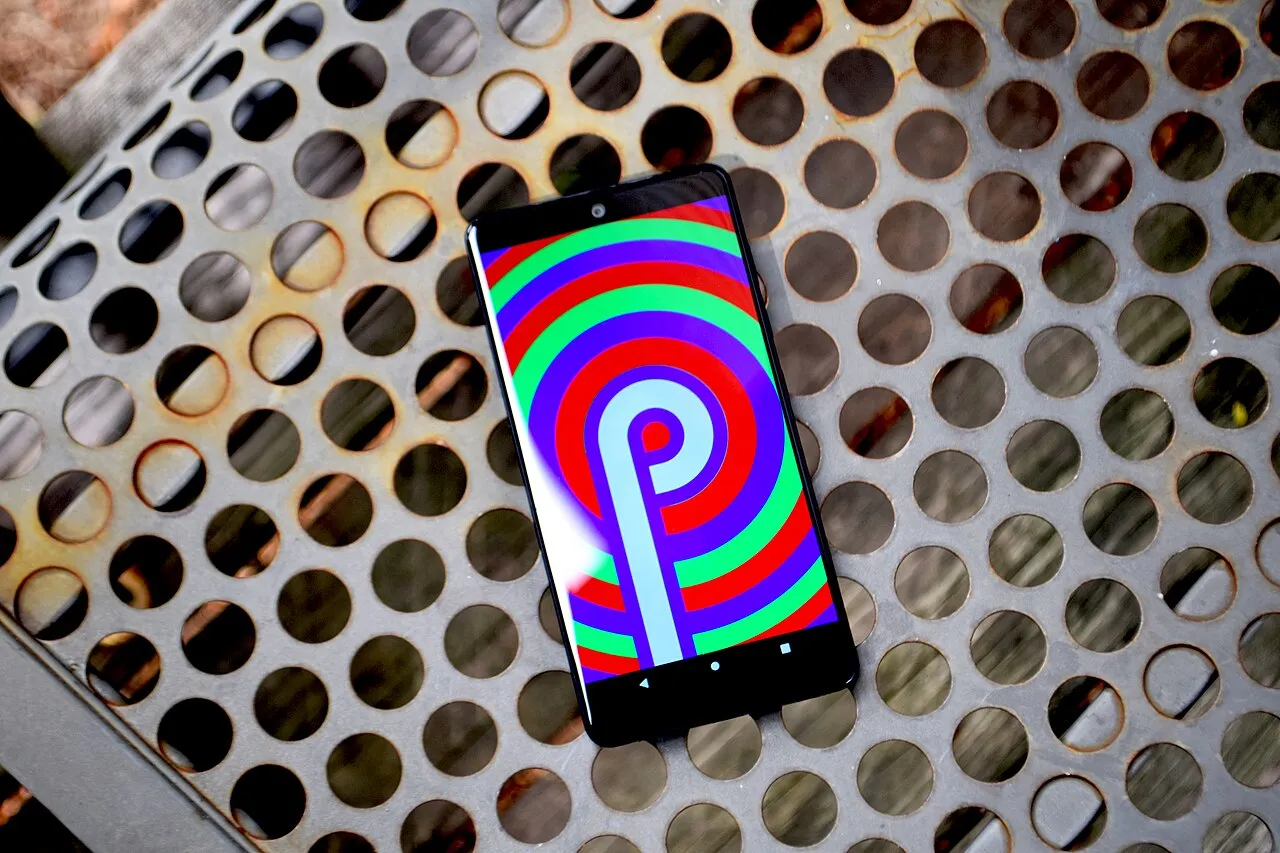
- At launch the Easter egg was still just a “P”, as Ars Technica noted: a
letter drawn over colour rings that change on every launch and resize with
two fingers. Pixel 3 builds (
android-9.0.0_r11) swapped it for a drawing app labelledPAINT.APK. - In AOSP,
Build.SERIALis set by reading a property calledno.such.thing. A comment explains why: a function call stops compilers from inlining the value, so the platform can return"unknown"to apps targeting API 28. - Google’s own post joked about the name: “Slices (pie…slices…get it?!)”.
- When Google retired dessert names in August 2019, one reason it gave was that “pies are not a dessert in some places”.
Android P Developer Preview 1: first build
7 March 2018. A flash-only build for developers that already had cutout support, the idle-app limits on camera and mic, cleartext blocked by default and the first non-SDK warnings.
Read on its own: Android P Developer Preview 1: first buildGoogle released the first developer preview of “Android P” on 7 March 2018, five months before the final release. Dave Burke called it “an early baseline build for developers only” and promised more for Google I/O in May.
| Release date | 7 March 2018 |
| Build | PPP1.180208.014, as reported by Droid Life; AOSP tags it android-p-preview-1 |
| Devices | Pixel, Pixel XL, Pixel 2 and Pixel 2 XL; Android Emulator |
| How to get it | Manual download and flash only; Android Beta was not open for P |
| Platform stability | No; APIs still changing |
The build brought Wi-Fi RTT (IEEE 802.11mc) for indoor positioning, display
cutout support with getDisplayCutout() and layoutInDisplayCutoutMode, a
developer option that simulates a cutout, richer MessagingStyle
notifications, the multi-camera API, ImageDecoder and
AnimatedImageDrawable, HDR VP9 and HEIF encoding, data-cost hints for
JobScheduler, Neural Networks API 1.1, and the GlobalPlatform Open Mobile
API for secure elements.
Several defining behaviour changes were already in place. Idle apps lost the
microphone, camera and sensors. Network Security Configuration blocked
cleartext traffic by default. Build.SERIAL moved behind
READ_PHONE_STATE, and installing an app targeting below API 17 showed a
warning dialog. Calls into restricted non-SDK interfaces showed a toast and
a log line. Fingerprint authentication used a new FingerprintDialog API,
which the next milestone replaced.
Android P Beta: open to partner phones
8 May 2018. The Google I/O build, also Developer Preview 2, reached six partner phones through Treble and added Adaptive Battery, Slices, BiometricPrompt and hard non-SDK errors.
Read on its own: Android P Beta: open to partner phonesGoogle announced Android P Beta on 8 May 2018, at Google I/O. It is the
second developer preview: AOSP tags it android-p-preview-2, and 9to5Google
called it “the second Developer Preview build of Android P”. It was the
first P build anyone could get over the air.
| Release date | 8 May 2018 |
| Devices | Pixel, Pixel XL, Pixel 2 and Pixel 2 XL; Sony Xperia XZ2, Xiaomi Mi Mix 2S, Nokia 7 Plus, Oppo R15 Pro, Vivo X21UD and X21, and Essential PH-1 |
| How to get it | Over the air through Android Beta on Pixel; partner builds from each manufacturer’s site |
| Platform stability | No; final APIs came with Beta 2 |
The partner phones were possible because of Project Treble, which Google
called “proof of what Treble can do”. The build added the user-facing
features Pie is known for: Adaptive Battery with four App Standby buckets,
the single-button system navigation, battery-based background restrictions
in Settings, and the text Magnifier. For developers it added Slices (with
the APIs in Android Jetpack), smart replies in notifications, new
TextClassifier entity types, the Dynamics Processing audio effect,
Android Protected Confirmation and StrongBox keys.
Two changes broke what Preview 1 had shipped. BiometricPrompt replaced
FingerprintDialog, with one USE_BIOMETRIC permission, and
FingerprintManager and USE_FINGERPRINT became deprecated. Non-SDK
interfaces that were not exempted now threw exceptions instead of showing a
toast, and StrictMode gained detectNonSdkApiUsage() to find them.
Android P Beta 2: API 28 is final
6 June 2018. Developer Preview 3 froze API level 28, shipped the official SDK, opened Google Play to apps targeting it, and settled which non-SDK interfaces stayed reachable.
Read on its own: Android P Beta 2: API 28 is finalBeta 2 came out on 6 June 2018, four weeks after Google I/O. Google
described it as “an update that includes the final Android P APIs”. AOSP
tags it android-p-preview-3, and 9to5Google reported it as Developer
Preview 3.
| Release date | 6 June 2018 |
| Build | PPP3.180510.008, in the AOSP tag message and in 9to5Google’s report |
| Devices | Pixel, Pixel XL, Pixel 2 and Pixel 2 XL; partner phones over the following weeks |
| How to get it | Over the air through Android Beta, or by flashing the factory image |
| Platform stability | Yes: API level 28 and the official SDK |
With the API frozen, Google opened Google Play to APKs compiled against or
targeting API 28, and asked developers to move targetSdkVersion to 28 “as
soon as possible”. An app already on API 26 for Play’s upcoming rule, it
said, faced “a small jump”.
On 12 June Google explained what Beta 2 did to non-SDK interfaces. Most interfaces that developers had reported went on a greylist that stayed available. Apps targeting API 28 could reach only the greylist; apps targeting Oreo or lower kept most access and got logcat warnings instead. Google said Beta 2 should “closely match” the final release on this point.
Android P Beta 3: early release candidate
2 July 2018. Developer Preview 4 was an early release candidate with near-final system behaviours, the July 2018 security patch and D8 as a standalone build tool.
Read on its own: Android P Beta 3: early release candidateBeta 3 came out on 2 July 2018. Google called it “an early release
candidate build of Android with near-final system behaviors” on the API
level 28 that Beta 2 had frozen. AOSP tags it android-p-preview-4.
| Release date | 2 July 2018 |
| Build | PPP4.180612.004, as reported by 9to5Google |
| Devices | Pixel, Pixel XL, Pixel 2 and Pixel 2 XL; Android Emulator; partner phones later |
| How to get it | Over the air through Android Beta, or by flashing the factory image |
| Platform stability | Yes, since Beta 2 |
The build added no APIs. It carried bug fixes, the July 2018 security updates, and an Android Studio build-tools update that shipped D8 as an independent tool. Google asked developers to test against App Standby buckets, the privacy restrictions and the non-SDK limits.
Android P Beta 4: release candidate
25 July 2018. Developer Preview 5, the last milestone before launch, was a release candidate with final system behaviours on the API 28 frozen since Beta 2.
Read on its own: Android P Beta 4: release candidateBeta 4 came out on 25 July 2018, twelve days before the final release.
Google called it “the last preview milestone before we launch the official
Android P platform”. AOSP tags it android-p-preview-5.
| Release date | 25 July 2018 |
| Build | PPP5.180610.010, as reported by 9to5Google |
| Devices | Pixel, Pixel XL, Pixel 2 and Pixel 2 XL; partner phones over the following weeks |
| How to get it | Over the air through Android Beta, or by flashing the system image |
| Platform stability | Yes, since Beta 2 |
It was “a release candidate build with final system behaviors”. Google asked developers to finish compatibility testing, watch for non-SDK interface use, and publish updates without changing their target level first. Android 9 Pie shipped on 6 August 2018.


