Android 10 is the release where Android stopped naming versions after desserts. For developers it is the privacy release: apps targeting API 29 see only their own files on shared storage, background location became a permission of its own, and apps lost IMEI and serial number. Users got gesture navigation and a system-wide dark theme.
At a glance
| Version | Android 10 |
| API level | 29 |
| Name | Quince Tart, internal only. Public name: Android 10 |
Build.VERSION_CODES | Q |
| Final SDK | 5 June 2019 (Beta 4, final API 29) |
| Release | Pixel rollout and AOSP source, 3 September 2019 |
| Launch devices | OnePlus 7T, announced 26 September 2019; Google’s Pixel 4 and Pixel 4 XL, announced 15 October 2019 |
| Google Play target-API deadline | New apps from 3 August 2020, updates to existing apps from 2 November 2020 |
Google published the final API 29 SDK with Beta 4 on 5 June 2019 and opened Play to apps targeting API 29 the same day. On 3 September it released the source to AOSP and started the rollout to the Pixel, Pixel 2, Pixel 3 and Pixel 3a. Android Police reported the rollout the same day. The Essential Phone and Xiaomi’s Redmi K20 Pro also got the update on day one. OnePlus presented the 7T as the first new phone preloaded with Android 10 with Google’s apps; the Pixel 4 was the first Google phone to ship with it. The February 2023 security bulletin is the last one that lists Android 10 among the patched AOSP versions; from March 2023 the bulletins start at Android 11. The six Android Q betas, from 13 March to 7 August 2019, are the parts below this overview.
What it brought
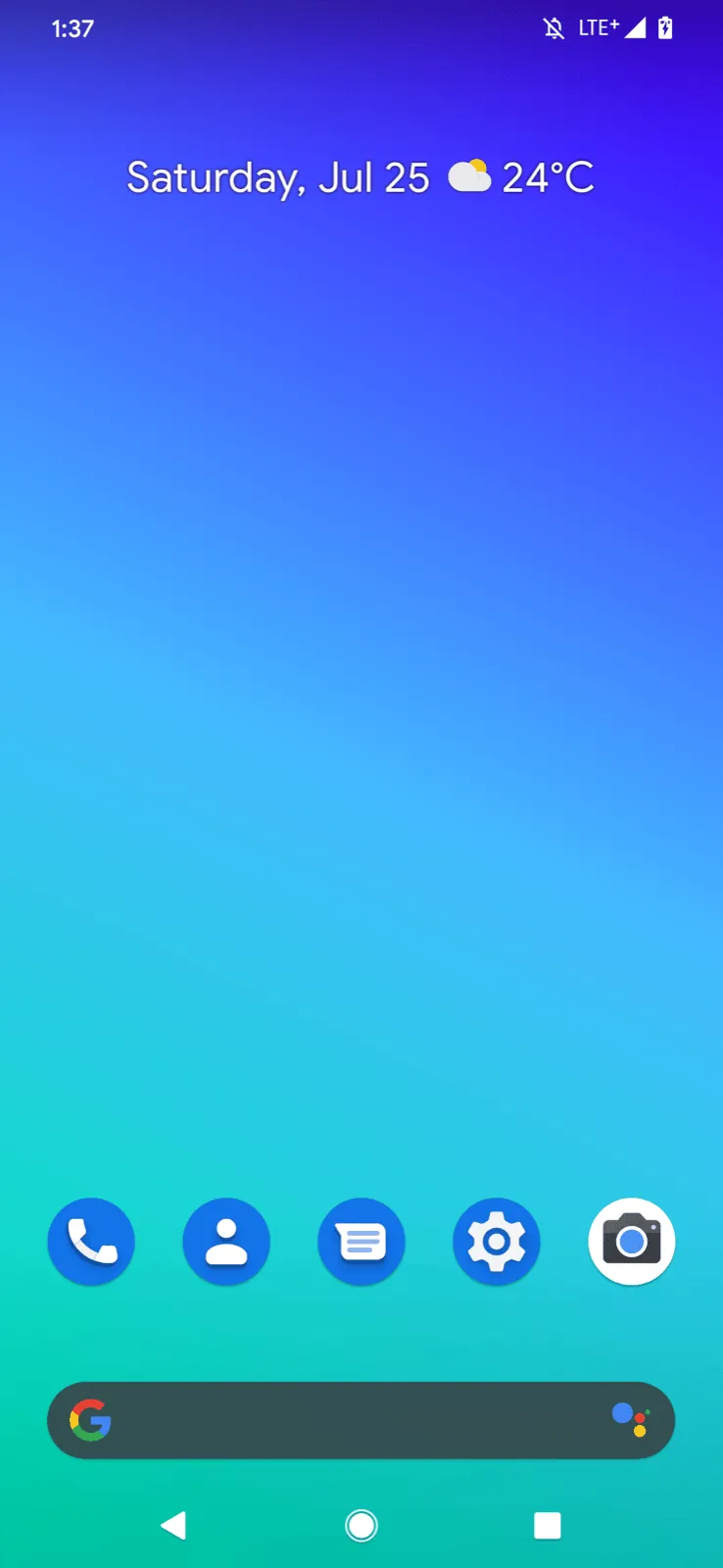
- Gesture navigation. A fully gestural mode replaces the navigation bar: swipe up for Home, swipe in from either side for Back. Apps should draw edge to edge and handle insets. The three-button bar stays available.
- Dark theme. A system-wide dark theme, turned on in Settings or by Battery
Saver. Apps can ship their own dark theme, or opt in to Force Dark with
android:forceDarkAllowed="true"and let the system darken a light theme. - Foldables. All visible activities in multi-window are resumed, and only
the “topmost resumed” one has focus (
onTopResumedActivityChanged()).android:minAspectRatiois new, andresizeableActivitychanged meaning. - Settings panels.
Settings.Panelactions show connectivity, Wi-Fi, NFC or volume settings as a floating panel over the app. - Sharing Shortcuts. Apps publish share targets in advance through
ShortcutInfo, so the share sheet loads at once. They replace the Direct Share APIs, which still work at a lower priority. - Smart Reply in notifications. The system suggests replies and actions
with on-device ML. Apps opt out with
setAllowGeneratedReplies()andsetAllowSystemGeneratedContextualActions(). - Live Caption. Captions any media playing on the phone, with speech models that run on the device. It was not part of the 3 September release: Google said it was “coming to Pixel devices this fall”.
- Bubbles. A notification can float as a bubble through
setBubbleMetadata(). In Android 10 it was an experiment behind a developer option. - Media and connectivity. AV1, Opus encoding and HDR10+, audio playback
capture, a native MIDI API, Dynamic Depth photos, 5G support, the
WifiNetworkSpecifierandWifiNetworkSuggestionAPIs, Wi-Fi Easy Connect, andDnsResolverforSRVand other records. - Dynamic System Updates. A device can download a Generic System Image (GSI), boot it from a new dynamic partition as a guest system, and switch back without touching the installed one. Google enabled it on the Pixel 3 and newer from Beta 4.
- Smaller additions. A thermal API in
PowerManager, Neural Networks API 1.2, generational garbage collection in ART,foregroundServiceType, and Vulkan 1.1 as a requirement on 64-bit devices.
Security and privacy
- Mainline. Android 10 is the first release that updates system components through Google Play (“Google Play system updates”). The first modules include ART, Conscrypt, the DNS resolver, DocumentsUI, Media, Networking, PermissionController and time zone data. Some use the new APEX format, and a module set installs or rolls back as one unit.
- Encryption for every new device. The Android 10 CDD requires devices that launch with it to encrypt user data with file-based encryption, on by default after setup. Devices without AES instructions may use Adiantum, the new encryption mode Android 10 added. Google measured it at about five times the speed of AES-256-XTS on an ARM Cortex-A7.
- TLS 1.3 by default. Its cipher suites cannot be disabled, and 0-RTT is not supported. Certificates signed with SHA-1 are no longer trusted, and six SHA-2 CBC cipher suites were removed.
- Non-resettable identifiers. IMEI, serial number and similar IDs need
READ_PRIVILEGED_PHONE_STATE, which Play apps cannot hold. What to do is under “What changed for your app”. - MAC address randomization. Devices send a randomized MAC address to
Wi-Fi networks by default. Device owner apps can still read the factory
address with
getWifiMacAddress(). - Background activity starts. An app in the background can no longer bring an activity to the front on its own. It should post a notification instead.
- Hardening. System binaries map their code execute-only, so reading it
crashes with
SIGSEGV. Media codecs gained bounds and integer-overflow sanitizers, and the Scudo allocator and ShadowCallStack arrived. Smart Lock can only extend an unlock, never unlock a locked phone, and for at most four hours. - Smaller changes. WPA3 and Wi-Fi Enhanced Open, face authentication in
BiometricPrompt, no clipboard access for apps without focus, and no/proc/netaccess.
Permissions
Location now has three answers: all the time, only while the app is in use, or
deny. “In use” means an activity is visible or a foreground service of type
location is running.
- Added:
ACCESS_BACKGROUND_LOCATION. Apps targeting API 29 declare it to read location in the background, and to use geofences. For apps targeting API 28 or lower, the system adds it whenever they declare or request a foreground location permission. - Added:
ACTIVITY_RECOGNITION. A runtime permission for step counting and activity detection, needed by the step counter and step detector sensors. - Added:
USE_FULL_SCREEN_INTENT. A normal permission, granted at install, that apps targeting API 29 need for full-screen notification intents. - Fine location for scans. Apps targeting API 29 need
ACCESS_FINE_LOCATIONfor Wi-Fi, Wi-Fi Aware, Bluetooth and cell scanning APIs. Coarse location is no longer enough. - Signature only.
READ_FRAME_BUFFER,CAPTURE_VIDEO_OUTPUTandCAPTURE_SECURE_VIDEO_OUTPUTbecame signature permissions. Screen capture goes throughMediaProjection, which asks the user. - Old apps. Apps targeting API 22 or lower show a permissions review screen the first time they run on Android 10.
- Go edition: no overlays. On Android 10 (Go edition) devices, apps cannot
get
SYSTEM_ALERT_WINDOW, because overlay windows use too much memory.Settings.canDrawOverlays()returnsfalse. Apps that held it before the upgrade keep it. - Camera metadata. Device-specific fields from
getCameraCharacteristics()requireCAMERA.
What changed for your app
All apps on Android 10
| Change | What to do |
|---|---|
| Background activity starts are blocked | Use a notification, or a full-screen intent for urgent events such as calls and alarms |
| Users can enable gesture navigation | Go edge to edge. Keep swipeable UI away from the edges, or exclude up to 200dp per edge with setSystemGestureExclusionRects() |
| Background location is a separate grant | Check the permission before every access. Users can downgrade an app to “while in use” |
| IMEI, serial and similar IDs are restricted | Use resettable IDs, such as the advertising ID, for analytics and ads |
| TLS 1.3 is on and SHA-1 certificates fail | Test your servers. Use SSLContext.getInstance("TLSv1.2") only if you must turn 1.3 off |
Bionic libraries moved to /apex, behind symlinks | If you check library paths in /proc/self/maps, accept /apex/... |
setSSLSocketFactory(null) throws IllegalArgumentException | Pass the default factory explicitly |
android.preference is deprecated | Move to the AndroidX preference library |
| Android Beam is deprecated | Use another way to share between devices. Other NFC APIs keep working |
Apps targeting API 29
| Change | What to do |
|---|---|
| Scoped storage by default | Keep your files in getExternalFilesDir(), use MediaStore for shared media and the system picker for other files |
ACCESS_BACKGROUND_LOCATION required | Declare it, and request it only for a feature that really needs it |
Non-resettable IDs throw SecurityException | Remove getImei(), getDeviceId(), Build.getSerial() and similar calls |
| Fine location needed for Wi-Fi and Bluetooth scans | Request ACCESS_FINE_LOCATION |
setWifiEnabled() returns false | Open the Wi-Fi settings panel instead |
Full-screen intents need USE_FULL_SCREEN_INTENT | Declare it in the manifest |
No execve() on files in the app’s home directory | Ship native code inside the APK |
No direct /dev/ashmem | Use ASharedMemory from the NDK |
| Text relocations are blocked by SELinux | Rebuild native libraries without them |
Scoped storage had an escape hatch. An app targeting API 29 can set
android:requestLegacyExternalStorage="true" and keep the old storage model on
Android 10. Its default is false for apps targeting API 29 and true below.
What lasted
- Scoped storage became mandatory. Once an app targets Android 11, the
system ignores
requestLegacyExternalStorage. - Background location got stricter in Android 11: users enable it with “Allow all the time” on a settings page, not in the first dialog.
- Bubbles left the developer options in Android 11 and became the platform’s way to show conversations.
- Mainline grew with each release. Google ended Mainline support for Android 11 and lower in the fourth quarter of 2025.
- Version numbers stayed. Every release since Android 10 is named by its
number. The dessert stayed an internal codename, though from Android 13 it
appears in the SDK constant (
TIRAMISU).
Worth knowing
- Why the desserts went. On 22 August 2019 Sameer Samat wrote that the names “weren’t always understood by everyone in the global community”. In some languages L and R sound the same, so “Lollipop” did not obviously come after KitKat, and pies and marshmallows are not desserts everywhere.
- The logo changed too. The same post moved the wordmark from green to black, because the green “was hard to read, especially for people with visual impairments”. The robot kept only its head, beside the word.
- Quince Tart. In an August 2019 interview, Dave Burke and Dan Sandler confirmed that the team calls Android 10 “Quince Tart” internally. Burke said the public name would have been “Queen Cake”.
- The
Qconstant carries a quote in AOSP: “Why? Why, to give you a taste of your future, a preview of things to come. Con permiso, Capitan. The hall is rented, the orchestra engaged. It’s now time to see if you can dance.” - The Easter egg. On the Android 10 logo screen, you drag the 1 over the 0 and turn it to about 315 degrees, where it snaps in place. Do it seven times and Icon Quiz opens, which AOSP describes as “a nonogram-style icon puzzle”. Its puzzles are system icons.
Android Q Beta 1: the privacy changes first
13 March 2019. The first Android Q build, for every Pixel generation, shipped the location, storage, background-start and identifier changes six months before release.
Read on its own: Android Q Beta 1: the privacy changes firstGoogle released Android Q Beta 1 on 13 March 2019, almost six months before the final release. Dave Burke’s post called it “Beta 1 of Android Q for early adopters and a preview SDK for developers”. There was no separate developer preview: the first public build was already in the Android Beta program.
| Release date | 13 March 2019 |
| Build | QPP1.190205.018.B4, March 2019 security patch |
| Devices | Pixel, Pixel XL, Pixel 2, Pixel 2 XL, Pixel 3 and Pixel 3 XL; Android Emulator |
| How to get it | Over the air through Android Beta, or by flashing the downloadable system image |
| Platform stability | No; preview SDK with APIs still changing |
The original Pixel was included, which Google said it had extended “by
popular demand”. To build against the preview, the release notes set
compileSdkVersion "android-Q" and targetSdkVersion "Q" with Android Studio
3.3 or newer.
Google put the privacy changes in the first build so developers had the most time to adapt. Location gained the “all the time” versus “only while the app is in use” choice. Scoped storage moved shared files behind new permissions for the Photos and Videos and the Audio collections, and Downloads behind the system file picker. Apps in the background could no longer start an activity; the fallback was a high-priority notification with a full-screen intent. Access to IMEI, serial number and similar non-resettable identifiers was restricted, and MAC randomisation per Wi-Fi network became the default.
The developer APIs in Beta 1 included sharing shortcuts, the
Settings.Panel actions, Wi-Fi network specifiers and suggestions that need
no location permission, low-latency Wi-Fi locks, the Dynamic Depth photo
format, AV1, Opus and HDR10+, a native MIDI API, experimental ANGLE on Vulkan,
Neural Networks API 1.2 with 60 new operations, passive biometrics in
BiometricPrompt, and TLS 1.3 on by default. New non-SDK interface
restrictions applied only to apps targeting Q, and apps targeting an API level
below 23 now showed a warning dialog on first run.
Two details were reversed later. Beta 1 changed the default of
android:extractNativeLibs to false; Beta 2 set it back to true. The
system-wide dark theme was missing: 9to5Google found no dark mode setting at
all in the build, and Google added it in Beta 3.
Android Q Beta 2: bubbles and foldables
3 April 2019. Beta 2 turned scoped storage on for new installs, added the bubbles API, a foldable emulator in Android Studio 3.5 canary and a microphone direction API.
Read on its own: Android Q Beta 2: bubbles and foldablesBeta 2 came out on 3 April 2019 for every Pixel and the emulator, with the April 2019 security patch. Burke wrote that developers had sent “thousands of bug reports” since Beta 1, and warned to “expect rough edges”.
| Release date | 3 April 2019; a patch build followed later in April |
| Build | QPP2.190228.021; patch QPP2.190228.023 |
| Devices | All Pixel phones from the first generation on; Android Emulator |
| How to get it | Over the air through Android Beta, or by flashing the system image |
| Platform stability | No; APIs still changing |
Scoped storage was now on by default for new app installs, and for installs and restores after a full device reset, so testers would see what broke. Google warned of issues with apps that access photos, videos and other files, such as when browsing or sharing in social media apps.
Beta 2 added bubbles: a notification carries a BubbleMetadata set with
setBubbleMetadata(), which names the activity shown inside the bubble. The
sharesheet could now show a preview of the content from EXTRA_TITLE or the
intent’s ClipData. A new MicrophoneDirection API let a selfie video ask
for the front microphone with setMicrophoneDirection(MIC_DIRECTION_FRONT)
and control a zoomable microphone with setMicrophoneFieldDimension(). The
canary build of Android Studio 3.5 added foldable virtual devices of 7.3 and
8 inches, using the Beta 2 system image.
Two Beta 1 defaults moved back. android:extractNativeLibs returned to
true. With the patch build, the execute-only memory restriction applied only
to apps targeting an API level above 28, instead of 26 and above. Google also
made “a few minor updates” to the non-SDK interface lists.
Android Q Beta 3: I/O, partners and dark theme
7 May 2019. Released at Google I/O on 23 devices from 13 makers, Beta 3 added the dark theme and full gesture navigation and relaxed scoped storage for older apps.
Read on its own: Android Q Beta 3: I/O, partners and dark themeGoogle released Beta 3 on 7 May 2019, at Google I/O. It was the first build outside Pixel phones: 15 partner devices from 12 manufacturers, Huawei, Xiaomi, Nokia, Sony, Vivo, OPPO, OnePlus, ASUS, LGE, TECNO, Essential and realme. With every Pixel, that made 23 devices from 13 makers. Google credited Project Treble for the jump.
| Release date | 7 May 2019 |
| Build | QPP3.190404.015 (Pixel), May 2019 security patch |
| Devices | All Pixel phones, 15 partner devices listed at android.com/beta, Generic System Images, emulator |
| How to get it | Android Beta over the air on Pixel; each partner’s own site for the others |
| Platform stability | No; APIs still changing |
Beta 3 features users could see
The system-wide dark theme arrived in this build: in Settings > Display, as a
Quick Settings tile, or by turning on Battery Saver. Apps without a dark theme
could opt in to Force Dark with android:forceDarkAllowed="true". A new fully
gestural navigation mode, in Settings > System > Gestures, removed the
navigation bar: swipe up for Home, swipe up and hold for Recents, swipe from
either edge for Back. Notifications got system-generated smart replies and
actions by default; apps opt out per notification with
setAllowGeneratedReplies() and setAllowSystemGeneratedContextualActions().
Behaviour changes that tightened or relaxed in Beta 3
Background activity starts went from a warning toast to a real block. Scoped
storage relaxed: Google had announced on 25 April that, from Beta 3, apps
targeting API 28 or lower would see no change by default, with a manifest
attribute to opt in early. The same post said scoped storage “will be required
in next year’s major platform release for all apps, independent of target SDK
level”. TLS 1.3 was on for every connection through Conscrypt, regardless of
target API level. WebViewRendererClient was renamed to
WebViewRenderProcessClient, and the release notes flagged crashes in apps
whose DRM or security libraries relied on the old Bionic library paths.
Google also announced Project Mainline at I/O: system components updated from Google Play without a full system update, which Google said every device running Android Q or later would be able to get.
Android Q Beta 4: final APIs, API level 29
5 June 2019. Beta 4 froze the developer APIs at API level 29, shipped the official API 29 SDK and opened Google Play to apps compiled against or targeting API 29.
Read on its own: Android Q Beta 4: final APIs, API level 29Beta 4 came out on 5 June 2019 with “the final Android Q APIs and official SDK”. From this build on, the developer APIs were fixed at API level 29.
| Release date | 5 June 2019 |
| Build | QPP4.190502.019 (Pixel), June 2019 security patch |
| Devices | Pixel phones and emulator first; partner devices “over the coming weeks” |
| How to get it | Android Beta over the air, system images, or Generic System Images |
| Platform stability | Yes; final API 29 |
The official API 29 SDK worked in the stable Android Studio 3.4, with 3.5 Beta recommended for the latest Android Q support. The same day, Google Play accepted apps compiled against API 29 or targeting it, so developers could ship compatible updates to Beta users.
Google’s checklist for this build: test the current app for the privacy changes, gesture navigation and the new dynamic linker paths for Bionic libraries. Apps moving their target to API 29 also had to test scoped storage, the location permission for wireless scans and the permission for full-screen intents. Google said release candidate builds would follow soon.
On the user side, 9to5Google counted four new accent colours in this build: Cinnamon, Ocean, Space and Orchid.
Android Q Beta 5: tuning gesture navigation
10 July 2019. Beta 5 brought system behaviour close to final and tuned gestures, with an Assistant corner swipe, a drawer peek and a plan for custom launchers.
Read on its own: Android Q Beta 5: tuning gesture navigationBeta 5 came out on 10 July 2019. Google said it brought the beta “very close to the system behaviors you’ll see in the final release”; the APIs had been final since Beta 4.
| Release date | 10 July 2019 |
| Build | QPP5.190530.014 (Pixel), July 2019 security patch |
| Devices | Pixel phones and emulator; partner devices “over the coming weeks” |
| How to get it | Android Beta over the air, system images, or Generic System Images |
| Platform stability | Yes; final API 29 |
Most of the changes were to gesture navigation. A swipe from either bottom
corner now opened the Assistant, with corner indicators Google was still
tuning. Apps with a navigation drawer got a “peek” when the user grabbed the
edge, on every version of DrawerLayout and best with 1.1.0-alpha02.
Custom launchers still had stability problems with gestures and Recents. Google announced that from Beta 6 the system would switch users of a custom launcher to 3-button navigation by default, and fix the rest in a post-launch update. The post also said there would be one more beta before the consumer launch.
Android Q Beta 6: the release candidate
7 August 2019. The last beta, a release candidate with final behaviour, capped the Back gesture exclusion at 200dp and added a Back sensitivity setting.
Read on its own: Android Q Beta 6: the release candidateBeta 6, “the last Beta update”, came out on 7 August 2019. The release notes called it “a release candidate build of Android Q” with “final system behaviors”. Android 10 shipped to Pixel phones and AOSP on 3 September 2019.
| Release date | 7 August 2019 |
| Build | QPP6.190730.005 (Pixel), August 2019 security patch |
| Devices | Pixel phones and emulator; partner devices “over the coming weeks” |
| How to get it | Android Beta over the air, system images, or Generic System Images |
| Platform stability | Yes; final API 29 and final system behaviour |
The gesture changes affected apps directly. Google set “a 200dp vertical app exclusion limit for the Back gesture”, which caps how much of the screen edge an app can claim for its own gestures. Users got a sensitivity setting for the Back gesture. The developer option that turned off the block on background activity starts was removed. 9to5Google also noticed the gesture bar was now hidden on the home screen.
Google’s last request was the same as since Beta 4: test the current app on Android Q and publish the compatible update before the consumer release.

.svg)
