Android 5.0 Lollipop is the release that swapped the engine and the paint at the same time. ART replaced Dalvik as the runtime for every app, and Material Design restyled the whole system. Underneath, JobScheduler started batching background work, SELinux became enforcing for every domain, and phones got multiple users and a guest mode.
At a glance
| Version | Android 5.0 |
| API level | 21 |
| Name | Lollipop, public |
Build.VERSION_CODES | LOLLIPOP |
| Announced | 15 October 2014 |
| Final SDK | 17 October 2014 |
| Release | 3 November 2014, on the Nexus 9. OTA to older Nexus devices from 12 November |
| Launch devices | Nexus 6 (Motorola), Nexus 9 (HTC) and Nexus Player (Asus) |
| Google Play target-API deadline | None. Play’s target-API rule started in 2018, at API 26 |
Google first showed the release as “Android L” at Google I/O on 25 June 2014. The L Developer Preview followed the next day for the Nexus 5 and Nexus 7 (2013), the first time Google gave developers an upcoming Android release early. It had no API level, and apps compiled against it could not be published on Play. Three preview builds came before the release, each in its own part below: the L Developer Preview, the Google Fit update in August and the final SDK with its preview images in October.
Google announced Lollipop with the three launch devices on 15 October 2014. Two
days later it published the final SDK and opened Play to apps targeting API 21.
The Nexus 9 went on sale with 5.0 on 3 November. Droid Life and The Next Web
reported the OTA for the Nexus 5, Nexus 7 (Wi-Fi) and Nexus 10 starting on 12
November; the Nexus 4 came later. Two maintenance releases followed on the
same API level: 5.0.1 (LRX22C) and 5.0.2 (LRX22G).
What it brought
Google’s launch post counts “over 5,000 new APIs”. These are the ones that shaped apps:
- ART by default. ART compiles each app ahead of time at install with
dex2oat, instead of Dalvik’s just-in-time compilation on every run. Ars Technica notes it debuted as an option in KitKat and is the only runtime in Lollipop. What to test is under “What changed for your app”. - Material Design. The material theme, view shadows,
RecyclerView, activity transitions, animators driven by view state, and vector drawables. Google applied the same design language to its apps on Android, iOS and the web. - Notifications on the lock screen.
Notification.Builder.setVisibility()takesVISIBILITY_PUBLIC,VISIBILITY_PRIVATEorVISIBILITY_SECRET, andsetPublicVersion()supplies a redacted copy. High-priority notifications with sound or vibration appear as heads-up banners over the current app. - Priority mode. The volume keys offer “All”, “Priority” and “None” for
interruptions, and
setCategory()andaddPerson()tell the system how to rank a notification. - Overview. Recent Apps became “Overview”, and one app can put several
tasks there with
FLAG_ACTIVITY_NEW_DOCUMENTordocumentLaunchMode.ActivityManager.AppTaskmanages them. - Project Volta.
JobScheduler(android.app.job) runs work when its conditions hold: charging, unmetered network, idle, or a deadline.adb shell dumpsys batterystatsfeeds Battery Historian. Google said Battery saver extends battery life “by up to 90 minutes”. Ars Technica notes it turns the status and navigation bars orange and can switch on by itself at 5 or 15 percent battery. - Camera2.
android.hardware.camera2succeeds theCameraclass, deprecated in API 21. It adds bursts, per-frame settings, manual focus, ISO and exposure, and RAW capture on devices that support it. - 64-bit. The platform and NDK r10c added 64-bit ABIs. The CDD requires a device that supports a 64-bit ABI to support its 32-bit equivalent too.
- Screen pinning and capture.
Activity.startLockTask()pins one app to the screen.MediaProjectionlets an app capture the screen after the user accepts a system dialog. - Smaller additions. Multiple networks (
ConnectivityManager.requestNetwork()), Bluetooth LE peripheral mode (BluetoothLeAdvertiser),MediaSession, directory selection withOPEN_DOCUMENT_TREE,PdfRenderer, OpenGL ES 3.1 and the Android Extension Pack, managed profiles for work apps, and device owners.
Before JobScheduler, each app woke the device on its own timer. The system now holds jobs until their conditions are met and runs them together.
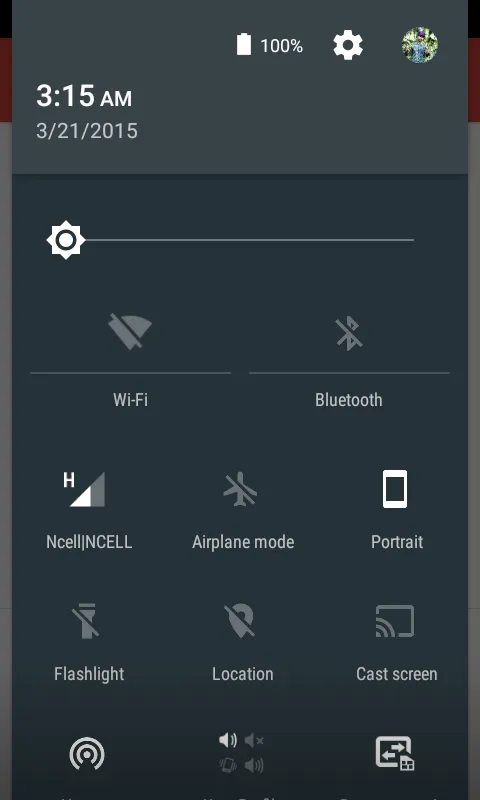
Ars Technica points out that phones got the flashlight and rotation-lock tiles in this release. The avatar opens the user panel, where a phone can switch users or start a guest session.
Security and privacy
- SELinux enforcing everywhere. Android 4.4 first used SELinux in enforcing mode. The 5.0 CDD requires global enforcing mode and “No permissive mode domains are allowed, including domains specific to a device/vendor.”
- Encryption by default, then not quite. Google said every new Lollipop device would be encrypted at first boot. The final 5.0 CDD only says encryption “SHOULD be enabled”, and is “very strongly RECOMMENDED”. Google later added an update to its Lollipop security post: “Due to performance issues on some Android partner devices, we are not yet at encryption by default on every new Lollipop device.” Ars Technica reported the change on 2 March 2015. The Nexus 6 and 9 shipped encrypted; upgraded devices had to turn it on in Settings > Security.
- Stronger disk encryption. The user’s password is protected against
brute force with
scrypt, and where available the key is bound to the hardware keystore. - Smart Lock. Trust agents keep a phone unlocked near a trusted Bluetooth or NFC device, or when trusted face recognises the owner.
- Multiple users on phones. User accounts and a guest mode came to phones. The CDD keeps restricted profiles off devices with telephony, so those stayed on tablets.
- WebView updates through Play. WebView became updatable without a system OTA, so its security fixes no longer wait for the device maker.
- TLS defaults. TLS 1.1 and 1.2 on, AES-GCM on, forward secrecy preferred, and MD5, 3DES, export and static-key ECDH cipher suites off.
- Native hardening. Every dynamically linked executable must be PIE, which
makes ASLR work for all of them.
FORTIFY_SOURCEcovers more libc functions. - Recent tasks.
ActivityManager.getRecentTasks()stopped returning other apps’ tasks, to protect user privacy.
Permissions
Lollipop still grants every permission at install. Runtime requests arrived a year later, in Android 6.0.
- Custom permissions are unique. Only one app on a device can define a given custom permission name, unless the other app is signed with the same key. An app that would redefine it with another key fails to install.
- Bind permissions. A
JobServicemust be protected withandroid.permission.BIND_JOB_SERVICE, or the system ignores it.BIND_DREAM_SERVICE,BIND_TV_INPUTandBIND_VOICE_INTERACTIONwere added for the same purpose. - Usage access.
android.permission.PACKAGE_USAGE_STATSis granted by the user in Settings (“Apps with usage access”), not in the install dialog. - Screen capture.
MediaProjectionhas no manifest permission; the user accepts a dialog each time. - Deprecated.
GET_TASKSis no longer enforced. - Bluetooth LE. Advertising and scanning use
BLUETOOTH_ADMIN.
What changed for your app
All apps on Android 5.0
| Change | What to do |
|---|---|
| ART replaces Dalvik | Test JNI code with CheckJNI, drop pointers to Java object data, and update obfuscators that ART’s stricter verifier rejects |
| Notification icons are drawn white; non-alpha channels ignored | Ship alpha-only icons and set an accent with setColor() |
| Notifications show on the lock screen by default | Set setVisibility() and a setPublicVersion() for sensitive content |
Lock screens no longer show RemoteControlClient controls | Move to MediaSession and Notification.MediaStyle with VISIBILITY_PUBLIC |
getRecentTasks() returns only your own tasks | Use getAppTasks() |
| Duplicate custom permission names block installs | Prefix permissions with your package name, or use a system permission |
| New TLS defaults | Fix servers that only offer the disabled cipher suites |
| Lock screen widgets removed | Drop the dependency |
| Intents in a managed profile may find no handler | Call resolveActivity() first, and share files with a content:// URI |
Apps targeting API 21
| Change | What to do |
|---|---|
bindService() throws on an implicit Intent | Bind with an explicit Intent, and do not give the service intent filters |
| WebView blocks mixed content and third-party cookies | Opt in with setMixedContentMode() and setAcceptThirdPartyCookies() if needed |
| WebView draws only the parts of the page it needs | Call enableSlowWholeDocumentDraw() if you draw or capture parts far outside the visible page |
A DreamService must require BIND_DREAM_SERVICE | Add the permission to the service declaration |
Spinner throws with an adapter of more than one item type | Use a single view type |
What lasted
- ART is still the runtime. Android 7.0 added a JIT compiler with code profiling, so ART now mixes ahead-of-time and just-in-time compilation by how an app is used.
- JobScheduler became the recommended replacement for background services and implicit broadcasts when Android 8.0 restricted both.
- Encryption became a MUST in the 6.0 CDD: devices with a secure lock screen, other than low-RAM ones, must support it, and must turn it on by default when their AES speed is above 50 MiB/s.
- 64-bit: Google Play required 64-bit versions of apps with native code from 1 August 2019, citing support “since Android 5.0 Lollipop”.
- Notification visibility,
MediaSessionandCamera2are still the current APIs. - Android 5.1 (API 22) followed in March 2015 with its own API level; it has its own note in this series.
Worth knowing
- The
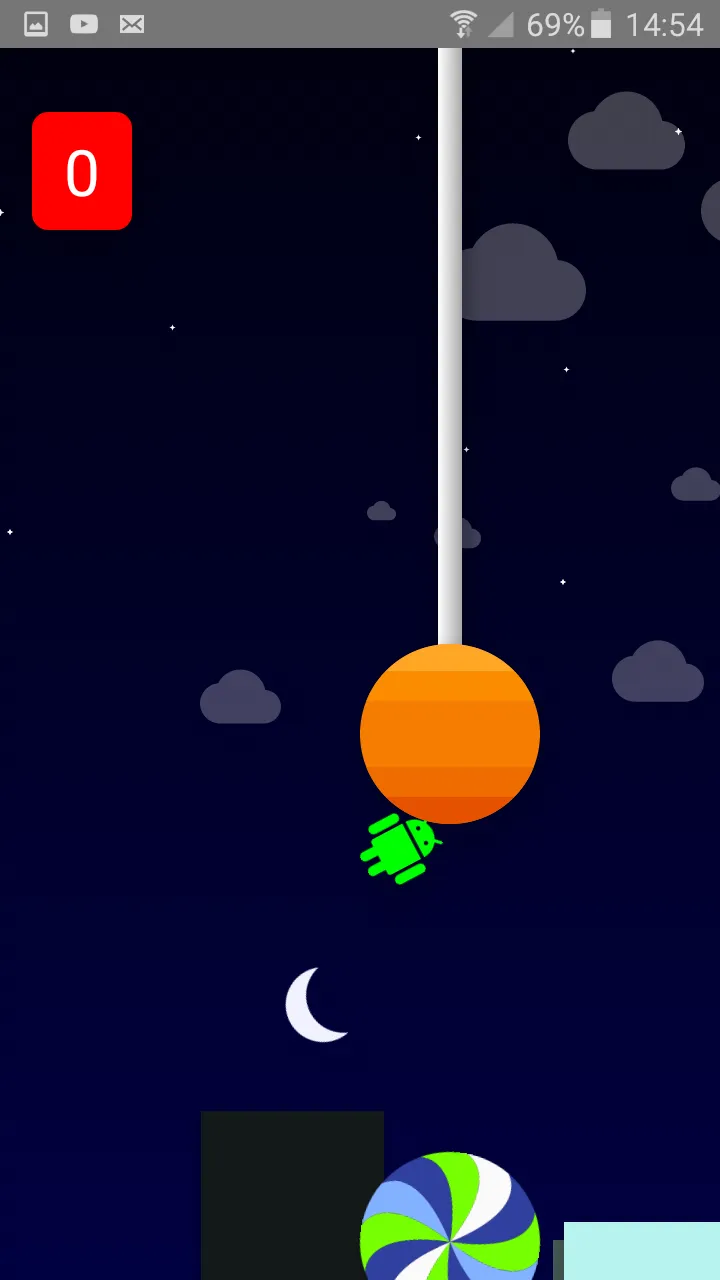
LOLLIPOPconstant in AOSP carries the commentLollipop. A flat one with beautiful shadows. But still tasty.Just above it, a hidden constantL = 21is marked “Temporary until we completely switch to LOLLIPOP”. - The Easter egg is L Land, a Flappy Bird-style game played between lollipops. Tap “Android version” in Settings quickly to see the lollipop, tap it a few more times, then long-press it.
- The game’s code has a
DEBUG_IDDQDflag that makes the player invincible, named after Doom’s god-mode cheat. - When you unlock the egg, the system stores the time in
Settings.System.EGG_MODE, with the comment “For posterity: the moment this user unlocked the easter egg”. - The 5.0 CDD sets minimum memory by screen density and ABI. A 32-bit phone at xhdpi or lower needs 512 MB available to the kernel and userspace; with a 64-bit ABI it needs 832 MB.
L Developer Preview: Android before release
26 June 2014. The first public preview of an Android release, build LPV79, for the Nexus 5, the Nexus 7 (2013) and the emulator, with no API level and no Play publishing.
Read on its own: L Developer Preview: Android before releaseThe L Developer Preview was the first time Google gave developers an Android release before launch. Google announced it in the Google I/O keynote on 25 June 2014 and opened the downloads on 26 June. Its launch post says: “For the first time since we launched Android, we’re giving you early access to a development version of an upcoming release.”
| Released | 26 June 2014 (the preview’s release notes date it 25 June, the day of the keynote) |
| Build | LPV79 (hammerhead-lpv79-preview, razor-lpv79-preview) |
| Devices | Nexus 5 (GSM/LTE) and Nexus 7 (2013) Wi-Fi, flashed by hand; emulator images |
| API level | None. Apps compiled against it could not be published on Google Play |
| SDK | L Developer Preview SDK tools, 32-bit emulator image, Android TV emulator image |
What the L Developer Preview included
Google’s posts list what developers could try months ahead: the Material
theme, lock-screen and heads-up notifications, document-centric Recents,
JobScheduler and Battery Historian (Project Volta), Bluetooth LE peripheral
mode, the android.hardware.camera2 API, OpenGL ES 3.1 and the Android
Extension Pack, 64-bit ABIs, and ART as the default runtime. The 64-bit
emulator image was announced as “coming soon”.
The preview’s release notes warned that camera2 and android.bluetooth.le
worked only on the Nexus 5, and that AudioTrack.write(float[], …) did not
work yet. Google said the APIs were not final and to “expect minor API
changes over time”. Android Police’s hands-on the same day found the new
lock screen and notification cards, but KitKat-style status bar icons and a
version shown only as “Android L”.
L Preview update: LPV81C for Google Fit
7 August 2014. A second L Preview build, LPV81C, for the Nexus 5 and Nexus 7 (2013), shipped from the Google Fit Developer Preview page instead of the Android preview site.
Read on its own: L Preview update: LPV81C for Google FitOn 7 August 2014 Google published a second L Preview build, LPV81C, for the
same two devices: the Nexus 5 and the Nexus 7 (2013) Wi-Fi. It came with the
Google Fit Developer Preview, not with an Android announcement. Google’s Fit
page called it “a special version of the Android L Developer Preview system
image with Google Fit support” and told developers not to use the images on
the Android preview site, which kept offering LPV79 until October.
Apps built on it still targeted 'android-L' with no API level, and Fit apps
could not be published on Google Play until Google Fit launched. Droid Life
reported the build the same day and found nothing else announced in it.
Final SDK and LPX13D preview images
17 October 2014. The final Android 5.0 SDK at API level 21, Play open to apps targeting it, and a last preview build, LPX13D, for the Nexus 5 and Nexus 7 (2013).
Read on its own: Final SDK and LPX13D preview imagesOn 17 October 2014, two days after announcing Lollipop, Google published the
final Android 5.0 SDK and a last preview build, LPX13D, for the Nexus 5
and Nexus 7 (2013) Wi-Fi. The APIs were final at API level 21, and Google
Play accepted apps with targetSdkVersion 21 from that day. The system image
for users was still two weeks away.
The SDK added 32-bit and 64-bit x86 emulator images, the v7 appcompat
library with the Material theme for older versions, the v17 leanback
library for TV, and NDK r10c. Google warned that “APIs have changed between
the preview SDK and the final SDK”: apps built against the preview had to be
recompiled, and the android-L packages deleted.
The LPX13D images had no OTA: the device had to be wiped and reflashed, and Google said they “only have the minimal apps pre-installed”. To receive the consumer update in November, the device needed a factory image again. GSMArena reported the build the same
day.


