Android 8.0 Oreo is the release that put background work on a leash. Apps targeting API 26 can no longer run services freely from the background or listen for most implicit broadcasts from their manifest, and every notification has to belong to a channel the user controls. Underneath, Project Treble split the Android framework from the vendor code, so a phone could be updated without the chip maker reworking it first.
At a glance
| Version | Android 8.0 |
| API level | 26 |
| Name | Oreo, public |
Build.VERSION_CODES | O |
| Final APIs and SDK | 8 June 2017, with Developer Preview 3 |
| Release | 21 August 2017. Pixel and Nexus OTAs rolled out in phases after carrier testing |
| Launch devices | Sony Xperia XZ1 and XZ1 Compact, announced 31 August 2017, the first phones to ship with it. Pixel 2 and Pixel 2 XL, announced 4 October 2017, the first Google phones to ship on it |
| Google Play target-API deadline | New apps from August 2018, updates to existing apps from November 2018 |
The first developer preview came out on 21 March 2017, for the Nexus 5X, Nexus 6P, Nexus Player, Pixel, Pixel XL and Pixel C; the four developer previews are the parts below this overview. Google froze the API on 8 June 2017 and opened Play to apps targeting API 26 the same day. On 21 August it pushed the source to AOSP, updated Android Beta devices and announced that Pixel, Nexus 5X, Nexus 6P, Pixel C and Nexus Player builds were in carrier testing. The first public AOSP tags for those devices carry August 2017 security patches.
The name came out the same day, during the solar eclipse, with Android-themed Oreo cookies made by Nabisco for the launch event.
What it brought
- Background limits. The defining change, covered in What changed for your app.
- Notification channels. Every notification belongs to a channel the app
creates with
NotificationChannel. The user sets sound, vibration and importance per channel; Settings calls them “categories”. Once a channel exists, the app can no longer change its behaviour, only its name and description. - More notification controls. Notification dots on launcher icons,
snoozing,
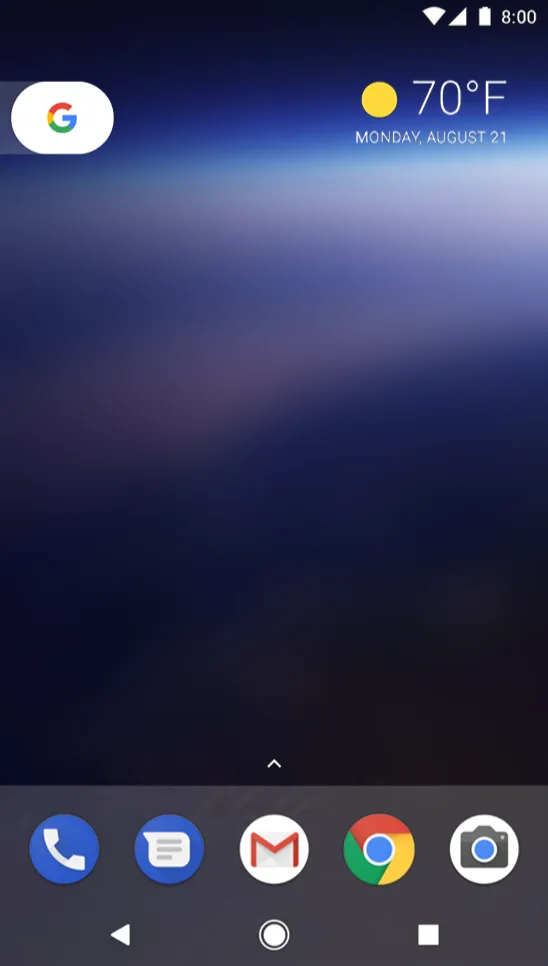
setTimeoutAfter()for notifications that cancel themselves,setColorized()for ongoing tasks such as navigation or a call, and a roomier collapsedMessagingStyle. - Picture-in-picture on phones. Until 8.0 it was an Android TV feature.
An activity opts in with
android:supportsPictureInPictureand enters withenterPictureInPictureMode(PictureInPictureParams). In PiP it is paused but still visible, so playback should stop inonStop(), notonPause(). - Autofill framework. Password managers get a system API to fill login and payment forms in any app. Standard input views work with it with no code; the user picks the service in Settings.
- Adaptive icons. An icon is two layers, foreground and background, each 108×108 dp. The device maker’s mask cuts the shape, and only the inner 66×66 dp is always visible.
- Fonts as resources. Fonts go in
res/font/and into layouts by name. Downloadable fonts let apps share a font from a provider instead of bundling it; the same mechanism delivers updated emoji. Support Library 26 brings both back to older versions. - Smaller additions. Autosizing
TextView, pinned shortcuts and widgets (requestPinShortcut()), wide-gamut colour per activity, Wi-Fi Aware, LDAC and Bluetooth 5 support,TextClassifierfor smart text selection,java.time,java.nio.fileandjava.lang.invokefrom OpenJDK, and per-app cache quotas (getCacheQuotaBytes()).WebViewgains Safe Browsing, version, renderer termination and renderer importance APIs; an activity can move between displays, and the app can pick the display it launches on; companion device pairing customises the Bluetooth, BLE and Wi-Fi pairing dialog. - Users saw a reorganised Settings app, a redesigned emoji set with more than 60 new emoji from Unicode 10 (the round faces replaced Google’s blob emoji), and boot times Google put at up to twice as fast on the Pixel.
Security and privacy
- Project Treble. A stable vendor interface now sits between the Android framework and the device-specific code written mostly by chip makers. It is validated by the Vendor Test Suite, as CTS validates the app API. Google said it would come to every new device launching with Android 8.0; Ars Technica reported it was optional for upgraded devices.
- Install unknown apps. The global “Unknown sources” switch is gone. The user now allows each installing app separately, under “Install unknown apps”. Google’s reason was the “hostile downloader”: an app that tricks the user into installing malware disguised as an update.
- Sandbox. A seccomp filter applies to every app, limiting system calls to those bionic exposes. WebView renders in a separate, isolated process by default. Treble moved many hardware components into tighter sandboxes.
- Kernel and userspace. Hardened usercopy, PAN emulation, read-only after init and KASLR in the kernel; control-flow integrity in the media stack. App overlays can no longer cover system-critical windows.
- Boot and keys. Android Verified Boot (AVB) arrived, with rollback protection in the boot loader code. Key attestation became required on every device shipping with 8.0, and the lock screen credential can be checked by tamper-resistant hardware.
- Identifiers.
ANDROID_IDis now different for each app signing key, user and device.Build.SERIALis deprecated in favour ofBuild.getSerial(), which needsREAD_PHONE_STATE.net.hostnameis empty and the DHCP client no longer sends a hostname. - TLS. SSLv3 is gone, and
HttpsURLConnectionno longer falls back to an older TLS version when a server negotiates badly. - Updates. Streaming A/B updates install even when a device is low on disk space. They work only on devices that use A/B partitions.
Permissions
- Added.
ANSWER_PHONE_CALLSandREAD_PHONE_NUMBERS, both dangerous and in thePHONEgroup;MANAGE_OWN_CALLS, a normal permission for VoIP apps that manage their own calls through a self-managedConnectionService. - Install unknown apps.
REQUEST_INSTALL_PACKAGESexisted before, but an app targeting API 26 must now declare it to send the user to the package installer. Its protection level issignature|appop: the user grants it per app in Settings, not through a runtime dialog. Send the user there withACTION_MANAGE_UNKNOWN_APP_SOURCESand check withcanRequestPackageInstalls(). - Group grants fixed. Before 8.0, granting one permission also granted every other permission of its group that the app declared. For apps targeting API 26, only the requested one is granted. A later request in the same group is still approved without a dialog.
- Accounts.
GET_ACCOUNTSalone no longer reveals the user’s accounts to apps targeting API 26. UseAccountManager.newChooseAccountIntent()or the authenticator’s own method. - Alert windows.
SYSTEM_ALERT_WINDOWapps targeting API 26 must draw withTYPE_APPLICATION_OVERLAY. Those windows stay under the status bar and keyboard, and the user can block them from the notification shade.
What changed for your app
All apps on Android 8.0
| Change | What to do |
|---|---|
| Background apps get location updates a few times an hour | Use the Fused Location Provider or geofencing; a foreground service restores the old rate |
| Users can apply background limits to any app | Test with the limits on, even if you target API 25 or lower |
| Cached apps lose their wake locks | Do not rely on a wake lock held while your app sits in the background |
ANDROID_ID scoped per signing key | Do not use it to link apps from different developers; use the Advertising ID for ads |
INSTALL_SHORTCUT broadcast has no effect | Pin shortcuts with ShortcutManager.requestPinShortcut() |
| WebView form data APIs are dead | getSaveFormData() returns false; the autofill framework now fills forms |
| A seccomp filter limits system calls | Call only what bionic exposes |
APK paths no longer end in -1 or -2 | Read ApplicationInfo.sourceDir instead of building the path |
Double tap in TalkBack becomes ACTION_CLICK | Check custom touch handling with TalkBack; override performAccessibilityAction() if needed |
findViewById() returns <T extends View> T | Fix ambiguous overloads and add a cast where Java 8 cannot infer the type |
| Contacts usage stats are approximate | Do not read exact counts from TIMES_CONTACTED or LAST_TIME_CONTACTED |
Apps targeting API 26
| Change | What to do |
|---|---|
| An idle app’s background services are stopped after a few minutes | Move the work to JobScheduler or JobIntentService |
startService() from the background throws | Use startForegroundService(), then startForeground() within five seconds or the app gets an ANR |
| Manifest receivers miss most implicit broadcasts | Register with Context.registerReceiver() at runtime, or replace the receiver with a job |
| A notification without a channel is not shown | Create channels before posting; “Show notification channel warnings” in Developer options flags misses |
Build.SERIAL is deprecated | Call Build.getSerial() with READ_PHONE_STATE |
net.dns1 to net.dns4 are unavailable | Read DNS servers through ConnectivityManager and NetworkCallback |
notifyChange() needs a real ContentProvider for the URI | Define the provider for every authority you notify |
| Native libraries with writable and executable segments fail | Rebuild them without W+X load segments |
| Clickable views are focusable by default | Set android:focusable="false" where focus does not belong |
| WebView refuses HTTP when cleartext is opted out | Serve WebView content over HTTPS |
Manifest receivers still get broadcasts sent only to the app itself (such as
ACTION_MY_PACKAGE_REPLACED), broadcasts that need a signature permission,
and a published list of exempt implicit broadcasts. The permission changes
for apps targeting API 26 (installs, accounts, alert windows, group grants)
are in Permissions.
What lasted
- Background limits kept tightening. Android 9 added the
FOREGROUND_SERVICEpermission, and apps targeting Android 12 can no longer start foreground services from the background except in a few cases. - Notification channels are still required. Android 13 added the
POST_NOTIFICATIONSruntime permission on top of them. - Adaptive icons are the icon format today. Android 13 added a monochrome layer for themed icons.
- Treble paid off in Android 9: devices launching with 9 or later can run
a generic system image (
adb shell getprop ro.treble.enabledtells you). The HIDL interfaces of that era are now deprecated in favour of AIDL for hardware abstraction layers. - Serial and IMEI went further in Android 10:
Build.getSerial()needsREAD_PRIVILEGED_PHONE_STATE, which Play apps cannot hold. - Install unknown apps is still granted per app.
- Play’s target-API rule started with this release: API 26 for new apps in August 2018 and updates in November 2018. From 2019 the floor rises each year, within a year of each Android release.
Worth knowing
- The Easter egg is an octopus. Tap “Android version” in “About phone”,
long-press the “O” that appears, and one floats on screen. AOSP calls the activity
Ocquarium, and the legs wobble onSpringAnimationfrom the support library’s physics package. - Android 8.0 build IDs start with
OPR(the first AOSP tag, for the Pixel C, is buildOPR6.170623.010), and that string appears in the user agent. Google warned that browser detection matching/OPR/can mistake any browser for Opera. - The 8.0 CDD requires each attestation key to be shared by enough devices that it cannot identify one. Its suggested way: one key for every 100,000 units of a model.
- In AOSP
Build.java,SERIALis initialised through a function call on purpose, “to prevent its value being inlined in the app during compilation”, because the system sets it according to the app’s target SDK. - A boot loop now triggers “Rescue Party”. When
system_serverrestarts five times in five minutes, or a persistent system app crashes five times in 30 seconds, the system resets settings in three escalating steps. The fourth boots into recovery and offers a factory reset. In 8.0, a userdebug build connected over USB skips it.
Android O Developer Preview 1: flash only
21 March 2017. The first Android O build, for developers only and by manual flash, brought background limits, notification channels, autofill and picture-in-picture on phones.
Read on its own: Android O Developer Preview 1: flash onlyGoogle released the first developer preview of “Android O” on 21 March 2017, five months before the final release. Dave Burke’s post called it early: “there are more features coming, and there’s still plenty of stabilization and performance work ahead of us. But it’s booting :)”.
| Release date | 21 March 2017 |
| Build | OPP1.170223.013, per the AOSP tag “Android O Preview Release 1” |
| Devices | Nexus 5X, Nexus 6P, Nexus Player, Pixel, Pixel XL and Pixel C; Android Emulator; Wear emulator |
| How to get it | Manual download and flash only; Android Beta was not open for O |
| Platform stability | No; APIs still changing |
Most of what defines Android 8.0 was already in this build: the background
limits on implicit broadcasts, services and location updates; notification
channels; the autofill framework; picture-in-picture on phones and tablets;
fonts as an XML resource; adaptive icons; wide-gamut colour per activity;
Wi-Fi Aware and the LDAC codec; the AAudio native audio API, released as an
early version for feedback; multiprocess WebView by default with Safe
Browsing; and java.time. Google asked developers to read the background
limits first, because they “represent a significant change in Android”.
Google’s advice was to test the current app on the preview and publish a
compatible update without changing targetSdkVersion. Support Library
26.0.0 came out as an alpha the same day and raised its minSdkVersion
to 14. Google took preview bug reports in Issue Tracker, the tool it also
uses internally.
Android O Developer Preview 2: public beta
17 May 2017, at Google I/O. The first beta-quality build opened Android Beta enrollment for O and added notification dots, Autofill with Google and Smart Text Selection.
Read on its own: Android O Developer Preview 2: public betaDeveloper Preview 2 came out on 17 May 2017, at Google I/O. Google called it “our first beta-quality candidate, available to test on your primary phone or tablet”, and opened the Android Beta program to Android O the same day.
| Release date | 17 May 2017 |
| Build | OPP2.170420.017 |
| Devices | Nexus 5X, Nexus 6P, Nexus Player, Pixel, Pixel XL and Pixel C; emulator |
| How to get it | Over the air through Android Beta, or by flashing the factory image |
| Platform stability | No; APIs changed since Preview 1, and Google pointed to the API diff report |
What Preview 2 added
- Notification dots on launcher icons, which Google said “work with zero effort for most apps”, with the dot colour taken from the icon.
- Autofill with Google, Chrome’s autofill brought to Android apps on top of the autofill framework. Apps can give hints about the data a field expects.
- Smart Text Selection: on-device machine learning selects a whole address, URL, phone number or email address and offers the matching app.
- A new Android TV home screen where apps publish channels, through the
TvProvidersupport library.
Google also announced TensorFlow Lite and a Neural Networks API for a maintenance update later that year, and showed Android Go for devices with 1 GB of memory or less.
The support libraries moved from the SDK Manager to Google’s Maven repository with Support Library 26.0.0 beta. Devices enrolled in the Android N beta had to enroll again to receive O, 9to5Google reported.
Android O Developer Preview 3: final API 26
8 June 2017. The third preview froze the API at level 26, shipped the final SDK and let developers publish apps targeting API 26 to Google Play.
Read on its own: Android O Developer Preview 3: final API 26Developer Preview 3 shipped on 8 June 2017 with “the final Android O APIs”. From this build on, API level 26 did not change, so developers could compile against it and publish.
| Release date | 8 June 2017 |
| Build | OPP3.170518.006 |
| Devices | Nexus 5X, Nexus 6P, Nexus Player, Pixel, Pixel XL and Pixel C; emulator |
| How to get it | Over the air through Android Beta, or by flashing the factory image |
| Platform stability | Yes: final API level 26 |
What final APIs meant for developers
- Final SDK. The API 26 SDK came through the SDK Manager, and Support
Library 26.0.0 beta 2 through Google’s Maven repository. Google
recommended setting
compileSdkVersionto 26, andtargetSdkVersionto 26 to test the Android O behaviour changes. - Publishing on Play. Apps compiled against, and optionally targeting, API 26 could go to the alpha, beta and production tracks. Devices in Android Beta were the first to receive them.
- Tools. Android Studio 3.0 on the canary channel had the adaptive icon wizard and XML and downloadable font support. Android Studio 2.3.3, on the stable channel, could build for O without those tools.
- API changes. APIs changed again since Preview 2; Google pointed to the diff report for code written against the earlier previews.
Google promised “one more preview update coming in July” with near-final system images.
Android O Developer Preview 4: release candidate
24 July 2017. The last preview was a release candidate with the final system behaviours, the API 26 frozen since Preview 3 and the stable Support Library 26.0.0.
Read on its own: Android O Developer Preview 4: release candidateDeveloper Preview 4 came out on 24 July 2017, four weeks before the final release. Google called it “a release candidate build of Android O” and “the final preview before we launch the official Android O platform to consumers”.
| Release date | 24 July 2017 |
| Build | OPP4.170623.014 |
| Devices | Nexus 5X, Nexus 6P, Nexus Player, Pixel, Pixel XL and Pixel C; emulator |
| How to get it | Over the air through Android Beta, or by flashing the factory image |
| Platform stability | Yes, since Preview 3 |
The build added no APIs. It brought “the final system behaviors, the latest bug fixes and optimizations”, on the API level 26 that had been final since Preview 3. Support Library 26.0.0 went stable the same day, and Google announced a new Android Testing Support Library with Android Test Orchestrator and multiprocess Espresso.
Google asked developers to finish testing and publish updates at their current target level, checking background location limits, notification channels, and the networking, security and identifier changes. Android 8.0 Oreo shipped on 21 August 2017.

